
The cheapest sticker price is not the cheapest bill. TeamPassword is the best value for small and mid-size teams at $2.41 per user per month billed annually, with a 3-user minimum ($7.23 a month for the smallest team) and unlimited group sharing on its entry plan. Zoho Vault Standard (about $0.90) and Proton Pass Essentials ($1.99) are cheaper per seat, but both put group sharing on a plan that costs more than ours. If you have exactly 10 people and want 1Password, its Teams Starter Pack at $24.95 a month for up to 10 is hard to beat.
Key Takeaways
- TeamPassword is a SOC 2-certified team password manager so simple that non-technical teammates adopt it, with group-based sharing since 2012. Standard is $28.92 per user per year, with unlimited groups and the activity log included.
- Per seat, Zoho Vault Standard and Proton Pass Essentials are cheaper, but user groups need Zoho Vault Professional ($4.50, 5-user minimum) and Proton Pass Professional ($4.99).
- Fixed packs distort the math: NordPass Teams is sold as a 10-user pack and 1Password's Teams Starter Pack is a flat $24.95 a month for up to 10 people.
- For 25 users who need group sharing, TeamPassword Standard ($723 a year) is the cheapest option in this comparison.
- "Free" team plans are thin: Bitwarden's free organization stops at 2 users, and Zoho Vault Free has no team sharing at all.
Cheapest Business Password Managers Compared (November 2026)
Prices are per user per month, billed annually, in USD. "Smallest annual bill" is what you pay if you buy the minimum the vendor will sell.
| Product | Cheapest team plan | Per user/month (annual) | Seat minimum or pack | Smallest annual bill | Group sharing on this plan? | Notes/caveats |
|---|---|---|---|---|---|---|
| TeamPassword | Standard | $2.41 ($2.88 monthly) | 3 users | $86.76 ($7.23/month) | Yes, unlimited groups | Autofill in the Chrome extension only; Enterprise $5.25 |
| Proton Pass | Essentials | $1.99 | 3 users (3 to 30) | $71.64 | No, vault and item sharing only | Group sharing needs Professional at $4.99; price labeled "60% off" |
| Zoho Vault | Standard | about $0.90 | None stated | $10.80 per user | No, user groups start at Professional | Professional $4.50 with a 5-user minimum; Free plan has no team sharing |
| Keeper | Business Starter | $2.00 | 5 to 10 users | $120.00 | Conflicting on Keeper's own page | Billed annually only; Business $4.00 |
| NordPass | Teams | $1.99 (1-year), $1.79 (2-year) | 10-user pack only | $238.80 | No groups or shared folders | Business $3.99 with a 5-user minimum |
| 1Password | Teams Starter Pack | $24.95/month flat (shown as $2.49) | Up to 10; extra seats $4.99, max 20 | $299.40 | Shared vaults with built-in groups | Business $8.99; current prices since June 30, 2026 |
| RoboForm | Business | $3.33 | None stated | $39.95 per user | Yes, groups and shared folders | SSO included; watch for first-year sale codes |
| Bitwarden | Teams | $4.00 | None | $48.00 per user | Yes, collections and groups | Free organization limited to 2 users |
What 10 and 25 Users Actually Pay Per Year
This is the table that matters. The first two columns use each vendor's cheapest plan that can legally hold that many people. The last column prices the cheapest plan from each vendor that includes group sharing, for a 25-person team.
| Product | 10 users, cheapest plan | 25 users, cheapest plan | 25 users with group sharing |
|---|---|---|---|
| TeamPassword | $289.20 (Standard) | $723.00 (Standard) | $723.00 (Standard) |
| Zoho Vault | $108.00 (Standard) | $270.00 (Standard) | $1,350.00 (Professional) |
| Proton Pass | $238.80 (Essentials) | $597.00 (Essentials) | $1,497.00 (Professional) |
| NordPass | $238.80 (Teams pack) | $1,197.00 (Business) | $1,197.00 (Business) |
| Keeper | $240.00 (Business Starter) | $1,200.00 (Business) | $1,200.00 (Business) |
| 1Password | $299.40 (Teams Starter Pack) | $2,697.00 (Business) | $2,697.00 (Business) |
| RoboForm | $399.50 (Business) | $998.75 (Business) | $998.75 (Business) |
| Bitwarden | $480.00 (Teams) | $1,200.00 (Teams) | $1,200.00 (Teams) |
At 10 users, most options land between $240 and $300 a year, so price should not decide it. At 25 users the fixed packs run out (Keeper Business Starter stops at 10, 1Password's Starter Pack at 20, NordPass Teams is a 10-user pack), and the gap between "cheapest seat" and "cheapest plan with groups" becomes the real story.
For context, the upper end of the market: LastPass Teams is $4.25 ($510 a year for 10 users, and capped at 50 users), LastPass Business is $7.00, and Dashlane Omnix Password Management is $8.00 ($960 a year for 10 users).
How We Evaluated These, and Our Disclosure
Disclosure: this article is published by TeamPassword, and TeamPassword ranks first below. Zoho Vault and Proton Pass undercut us per seat, and we say so in the opening, both tables and their sections.
Criteria, in priority order:
- Real annual cost for a real team, including seat minimums, fixed packs and the plan a team actually needs.
- Team sharing on the cheap plan. A manager that cannot share credentials by group is a personal tool with a business invoice.
- Accountability. Whether an activity log is included or locked to a higher tier.
- What you give up at the entry price, named plainly.
- Adoption. The cheapest manager is wasted money if your team keeps using a spreadsheet.
Facts verified November 2026 from each vendor's own pricing and help pages. Promotional prices are labeled as promotions.
Why the Cheapest Password Manager Is Rarely the Cheapest Bill
Seat minimums are the first trap. A four-person agency pays for five seats on Keeper Business Starter and ten on NordPass Teams. TeamPassword and Proton Pass have a 3-user minimum.
Plan gating is the second trap. Most small teams want to share by group: "Clients" for agency logins, "Finance" for the bank and payroll portals, and one step to remove someone on their last day. Zoho Vault Standard, Proton Pass Essentials and NordPass Teams all leave user groups to a higher plan.
The third trap is promotions. NordPass shows "Save" percentages against its monthly price and runs rotating codes (an extra 10% off annual Business and Enterprise with code NPFALL26 when we checked). Proton labels its annual prices as discounts. RoboForm sometimes runs first-year sale codes. Budget on the renewal price, not the banner.
The Cheapest Business Password Managers, Ranked
1. TeamPassword
Best for: small and mid-size teams that share logins and want groups without paying for an upper tier. TeamPassword Standard is $2.41 per user per month billed annually ($2.88 monthly), which is $28.92 per user per year, with a 3-user minimum.
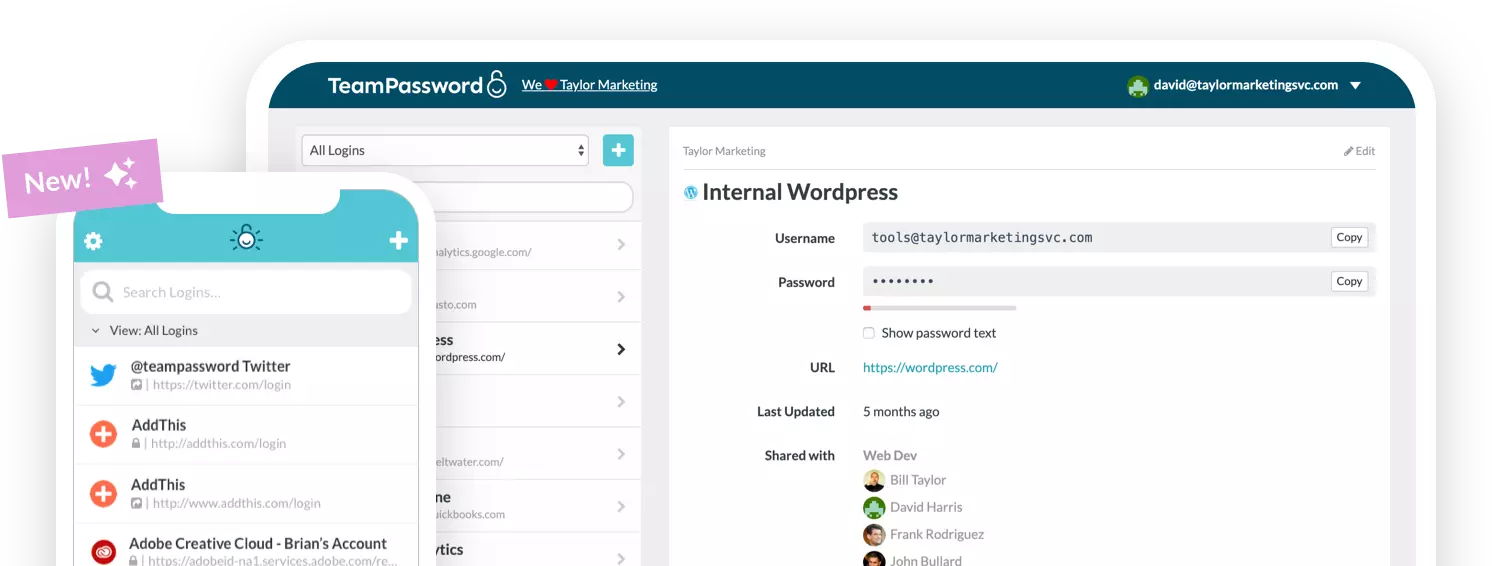
TeamPassword lets a team share credentials without emailing them around. Unlimited shared groups, the activity log, the built-in TOTP authenticator and admin controls such as requiring 2FA and Google Sign-In are all on Standard, so the entry price is the real price for most teams. Enterprise, at $5.25, adds One-time Secret links, a view-only role, Microsoft Entra ID single sign-on (set up by our team) and 250MB of attachments.
What you give up: one-click autofill in login fields works in the Chrome extension only, sharing is group-based (you put a record in a group to share it, even with one person), and there is no password health or breach report. If you need those, look at Bitwarden or 1Password Business.
TeamPassword Pricing at a Glance
- Standard $2.41 per user per month billed annually, $2.88 monthly; 3-user minimum ($7.23 a month)
- Enterprise $5.25 per user per month billed annually, $6.30 monthly
- Unlimited shared groups with no record caps, on both plans
- Activity log with filters and CSV export, on both plans
- 14-day free trial; see pricing
2. Proton Pass
Best for: the lowest price for a small team that can share by vault. Proton Pass Essentials is $1.99 per user per month billed annually ($23.88 per year), with a 3-user minimum and a 30-user ceiling.
At 3 users Proton is the cheapest paid plan here, $71.64 a year against our $86.76. It includes vault and item sharing, secure links that recipients can open without a Proton account, and a built-in 2FA authenticator.
What you give up: group management, group sharing, usage logs, SSO and team policies all sit on Pass Professional at $4.99. A 25-person team that wants groups pays $1,497 a year.
Proton Pass Pricing at a Glance
- Essentials $1.99, Professional $4.99 (per user per month, annual)
- 3-user minimum; Essentials covers 3 to 30 users
- Group sharing and usage logs: Professional only
3. Zoho Vault
Best for: the lowest per-seat price, especially for teams already in Zoho. Zoho Vault Standard is about $0.90 per user per month billed annually ($1 on Zoho's own price guide). Professional is $4.50 and Enterprise $7.20, each with a 5-user minimum.
Standard adds password sharing, one-time sharing with third parties and user access and activity reports, which is a lot for under a dollar.
What you give up: user groups and folder sharing start at Professional. And the Free plan, often recommended for teams, does not include team sharing; it lists audit trails, but sharing starts at Standard.
Zoho Vault Pricing at a Glance
- Free (no team sharing), Standard about $0.90, Professional $4.50, Enterprise $7.20
- Professional and Enterprise: 5-user minimum
- Group sharing: Professional and Enterprise
4. Keeper
Best for: teams of 5 to 10 that want admin policies from day one. Keeper Business Starter is $2.00 per user per month for 5 to 10 users. Business is $4.00 and Enterprise is quote-based. All plans are billed annually.
Keeper's policy engine, password and passkey sharing and One-Time Share are ticked on every business tier, including Starter. Keeper's page is inconsistent on whether shared team folders are in Starter, so check before you buy.
What you give up: Starter stops at 10 users, so growth means Business at double the price. The full audit trail needs the ARAM add-on on every tier, and Keeper does not publish its price.
Keeper Pricing at a Glance
- Business Starter $2.00 (5 to 10 users), Business $4.00, Enterprise by quote
- Billed annually only
- Full audit reporting is a paid add-on on every tier
5. NordPass
Best for: a team of exactly 10 that does not need groups. NordPass Teams is $1.99 per user per month on a 1-year plan ($1.79 on 2 years, $2.49 monthly), sold only as a 10-user pack.
Teams includes MFA enforcement, an activity log, the NordPass Authenticator and SSO with Google Workspace, which is unusual at this price. For 10 people it is $238.80 a year.
What you give up: Teams has no groups or shared folders, and a six-person team still pays for ten seats ($3.32 effective per person on the 1-year plan). Business at $3.99 adds groups and has a 5-user minimum.
NordPass Pricing at a Glance
- Teams $1.99 (1-year), Business $3.99, Enterprise $5.99 (per user per month)
- Teams: 10-user pack only; Business and Enterprise: 5-user minimum
- Groups and shared folders: Business and Enterprise
6. 1Password Teams Starter Pack
Best for: teams of 8 to 10 who want 1Password. 1Password Teams Starter Pack is a flat $24.95 per month billed annually ($299.40 a year) for up to 10 people, or $29.95 billed monthly. Extra seats are $4.99 each, up to 20.
At a full 10 seats that is about $2.50 per person, which is where 1Password is good value.
What you give up: custom groups, SSO and the audit log are Business features, at $8.99 per user per month for new customers since June 30, 2026. A team of 3 still pays $299.40 a year, almost $100 per person.
1Password Pricing at a Glance
- Teams Starter Pack $24.95 a month flat for up to 10 (annual)
- Business $8.99 annual, $10.99 monthly
- Audit log and SSO: Business only
7. RoboForm
Best for: SSO on a budget. RoboForm Business is $3.33 per user per month, billed as $39.95 per user per year, with no minimum stated.
RoboForm Business includes groups and shared folders, policies, detailed activity logs and single sign-on with Microsoft Entra ID, Okta and Google Workspace. No other vendor here includes SSO at this price.
What you give up: it costs more than the entry plans above, and RoboForm's site references first-year sale codes, so compare renewal pricing.
RoboForm Pricing at a Glance
- Business $3.33 per user per month ($39.95 per year)
- No minimum stated; Enterprise is quote-based
- SSO, groups and activity logs included
8. Bitwarden
Best for: a full-featured Teams plan with no seat minimum. Bitwarden Teams is $4.00 per user per month billed annually, and Enterprise is $6.00.
Teams includes unlimited collections, user groups, event logs and Bitwarden Send for text and files. The free organization covers 2 users and 2 collections, which is a trial for a pair rather than a team plan.
What you give up: price, at $480 a year for 10 users. SSO and enterprise policies such as requiring two-step login need Enterprise.
Bitwarden Pricing at a Glance
- Teams $4.00, Enterprise $6.00 (per user per month, annual)
- No seat minimum
- SSO and policies: Enterprise
What About Free Password Managers?
Free built-in managers such as iCloud Keychain and Google Password Manager are fine for one person. They save and fill passwords in Chrome or Safari, but they are not team tools: there are no groups, no activity log and no admin who can remove an ex-employee's access.
For a business, the cheapest safe option is a paid team plan. Read more in our guides to safely sharing passwords with coworkers and password managers for nonprofits.
How to Choose
- 3 to 25 people who need groups and an activity log: TeamPassword Standard.
- 3 people, lowest possible bill, vault sharing is enough: Proton Pass Essentials.
- Lowest per-seat price and you already run Zoho: Zoho Vault Standard, moving to Professional when you need groups.
- Exactly 10 people: NordPass Teams if you do not need groups, 1Password Teams Starter Pack if you want 1Password.
- SSO is a requirement on a small budget: RoboForm Business.
Frequently Asked Questions
What is the cheapest password manager for a business in 2027?
Per seat, Zoho Vault Standard at about $0.90 per user per month and Proton Pass Essentials at $1.99 are the cheapest, but neither includes group sharing. TeamPassword Standard is $2.41 with a 3-user minimum and includes unlimited groups. For a 25-person team that needs groups, TeamPassword is the cheapest at $723 a year.
Which password manager has the best price for small teams in 2027?
TeamPassword, for teams of 3 to 25 that share logins by group: $2.41 per user per month billed annually, with a 3-user minimum of $7.23 a month. Proton Pass Essentials is cheaper for 3 people at $1.99 if vault sharing is enough. For exactly 10 people, NordPass Teams and the 1Password Teams Starter Pack are also competitive.
How much does a password manager cost for 10 users?
On annual billing, about $108 on Zoho Vault Standard, $238.80 on Proton Pass Essentials or a NordPass Teams pack, $240 on Keeper Business Starter, $289.20 on TeamPassword Standard and $299.40 on the 1Password Teams Starter Pack. Bitwarden Teams is $480 and Dashlane Omnix Password Management is $960.
Is there a free password manager for business teams?
Not a useful one for most teams. Bitwarden's free organization is limited to 2 users and 2 collections, and Zoho Vault Free includes audit trails but no team sharing. TeamPassword, Proton Pass, NordPass and 1Password offer free trials instead, 14 days in TeamPassword's case.
Do password managers have seat minimums?
Many do. TeamPassword and Proton Pass have a 3-user minimum, Keeper Business Starter covers 5 to 10 users, NordPass Business and Zoho Vault Professional need 5, and NordPass Teams is sold only as a 10-user pack. Bitwarden Teams has no minimum.
Is 1Password cheaper than TeamPassword?
Not at list prices, but it is close at exactly 10 users: $299.40 a year for the 1Password Teams Starter Pack versus $289.20 for TeamPassword Standard. Below 10 users the flat pack costs more per person, and above 20 you need 1Password Business at $8.99 per user per month.
Try TeamPassword
Try group sharing at the entry price with your own team.
- Standard $2.41 per user per month billed annually ($2.88 monthly); Enterprise $5.25 ($6.30 monthly); 3-user minimum
- Unlimited shared groups with no record caps
- Built-in TOTP authenticator: store the 2FA secret on a shared record so the whole group sees the live code
- Activity log of record views, edits, deletions, attachments, invitations, logins and security-setting changes, with filters and CSV export
- Require 2FA for the whole team
- Browser extensions for Chrome, Firefox, Safari and Edge, plus iOS and Android apps
Try TeamPassword free for 14 days
More in This Series
- Best Password Managers for Teams
- Best Password Managers with a Built-in Authenticator
- Best Password Managers with Access Control
- Best Password Managers with Activity Logs
- Best Password Managers for Sharing Passkeys
- Best Password Managers with Admin Security Controls
- Best Password Managers with Autofill for Teams
- Best Password Managers with a Passphrase Generator
- Best Password Managers with One-Time Secret Links
- Best Password Managers with Group-Based Sharing