TeamPassword is the best password manager with group-based sharing for small and mid-size teams: unlimited groups with no record caps on the $2.41 per user per month Standard plan, so a group per client or department costs nothing extra. If you want groups plus collection-level permissions, Bitwarden Teams at $4.00 is the pick. Watch the tiers elsewhere: LastPass Teams, NordPass Teams and Proton Pass Essentials have no group sharing, and 1Password's custom groups need Business at $8.99.
Key Takeaways
- TeamPassword is a SOC 2-certified team password manager so simple that non-technical teammates adopt it, with group-based sharing since 2012. Groups are unlimited, with no record caps, on the Standard plan.
- Group sharing is often the feature vendors hold back for a higher tier: LastPass and NordPass reserve groups for Business, Proton Pass for Professional, and Dashlane gives Starter admins one sharing group.
- Bitwarden Teams is genuinely strong here: unlimited collections and user groups at $4.00 per user per month.
- TeamPassword is group-only by design. To share one record with one person, you put it in a group; there is no direct one-to-one share.
- Groups make onboarding and offboarding a matter of adding or removing a person, but passwords someone could use should still be rotated when they leave.
Group Sharing Compared (November 2026)
| Product | Supports group sharing? | Plan required | Team price (per user/month, annual) | Caps and minimums | Notes/caveats |
|---|---|---|---|---|---|
| TeamPassword | Yes | Standard | $2.41 Standard, $5.25 Enterprise | Unlimited groups, no record caps. 3-user minimum | Group-only: no direct share of one record to one person |
| Bitwarden | Yes, collections plus user groups | Teams and Enterprise | $4.00 Teams | Unlimited collections on Teams and Enterprise | Member-level permissions override group-level ones |
| 1Password | Yes, vaults shared with groups | Custom groups: Business | $8.99 Business | Teams Starter Pack: 10 to 20 users, built-in groups only | Guests limited to one vault |
| Proton Pass | Professional only | Professional | $4.99 Professional ($1.99 Essentials has no groups) | 3-user minimum | Essentials shares vaults and items only |
| NordPass | Business and Enterprise | Business | $3.99 Business, $5.99 Enterprise | 5-user minimum on Business; Teams ($1.99) is a 10-user pack with no groups | Shared subfolders and Sharing Hub on Enterprise |
| Dashlane | Yes, sharing groups and Collections | Not on Standard; Starter gets one group | $8 Omnix Password Management | Starter: 1 sharing group | Help center still uses older plan names |
| LastPass | Business and Business Max | Business | $7.00 Business ($4.25 Teams has no groups) | Teams capped at 50 users | Shared folders on all plans; groups only on Business |
How We Evaluated These, and Our Disclosure
Disclosure: this article is published by TeamPassword, and TeamPassword is ranked first. Weigh that accordingly. Bitwarden's collections give finer permissions than our groups, and we say so in its section.
Criteria, in priority order:
- Groups on the plan small teams buy. Many vendors show "sharing" on every tier and keep groups for Business.
- Caps. Limits on groups, records, vaults or users that a growing team will hit.
- Onboarding and offboarding effort. How many clicks to give a new hire everything they need, and to take it back.
- Permission depth. What you can control inside a group, and where the model gets confusing.
- Adoption. Whether non-technical colleagues will find the right login without asking.
Facts verified November 2026 from each vendor's own pricing and help pages.
Why Group Sharing Matters for Teams
Sharing passwords one by one works for three people. At 15 it turns into a mess: a new account manager needs 30 client logins, so someone shares them individually, misses four, and the new hire falls back to asking in Slack. When that person leaves, nobody is sure which of the 30 they still have.
Groups fix the math. Make a group for each client or function, such as "Client: Acme", "Paid Media" or "Finance", and put the right records in it once. A new hire joins three groups and has everything on day one. Someone moving from design to account management swaps groups. Someone leaving is removed, and their access to every group ends together. Our article on how TeamPassword groups help with onboarding walks through that flow.
One honest caveat: removing access does not erase what a person already copied. After an offboarding, rotate the passwords in the groups they belonged to, starting with shared accounts like a Google Ads login whose 2FA codes went to their phone.
The Best Password Managers with Group Sharing, Ranked
1. TeamPassword
Best for: small and mid-size teams that organize logins by client, project or department, from $2.41 per user per month (Standard, billed annually).
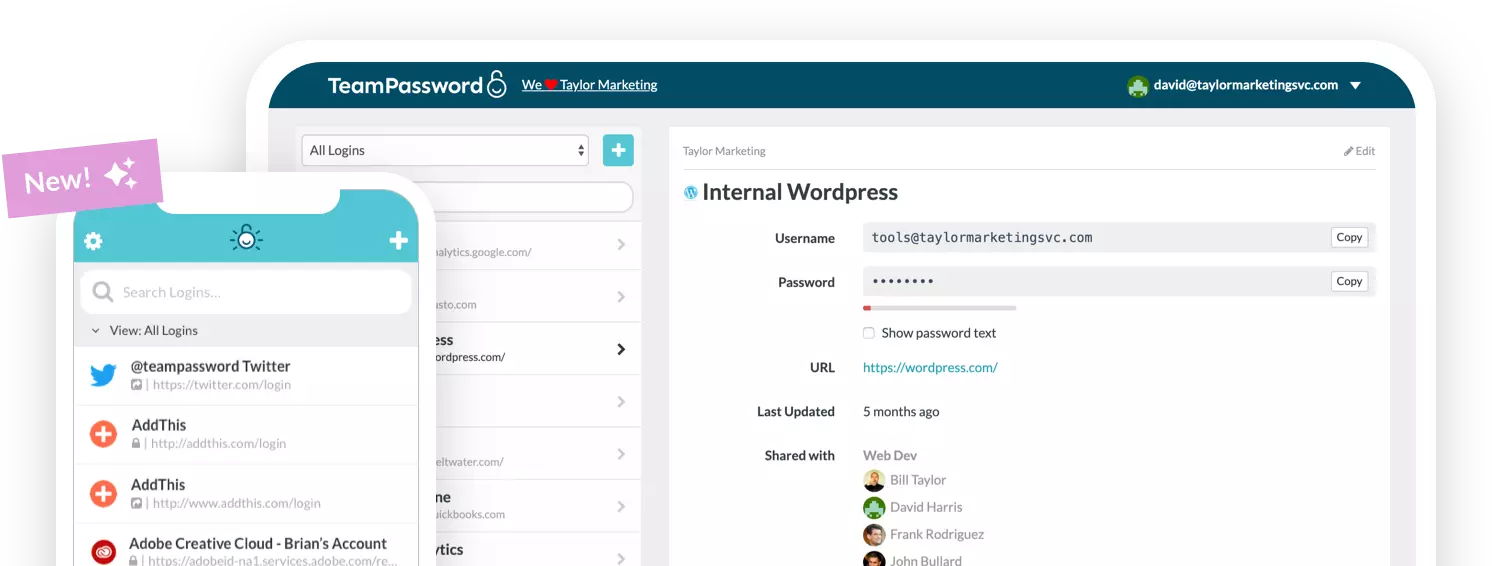
TeamPassword has been built around groups since 2012. Every shared record lives in one or more groups, and every person sees only the groups they belong to. Groups are unlimited with no record caps on Standard, which is $28.92 per user per year with a 3-user minimum. Admins can also share with the whole team for company-wide logins, and can turn that option off if they want everything to go through groups. Our explainer on how the groups feature works covers the setup.
Groups pair well with the activity log, which shows record views, edits and invitations with filters and CSV export, so you can check who opened a group's records. A built-in TOTP authenticator lets you store a 2FA secret on a shared record so the whole group sees the live code, which removes the "text me the code" problem for shared accounts.
What you give up: sharing is group-only. You cannot share a single record directly with one person without a group; you create a small group for that. Permissions inside a group are set by role (owner, admin, member, and view-only on Enterprise) rather than per record.
TeamPassword Group Sharing at a Glance
- Unlimited shared groups with no record caps
- Share with the whole team; admins can turn this off
- Built-in TOTP authenticator: store the 2FA secret on a shared record so the whole group sees the live code
- View-only role (Enterprise): members can copy and use a password without it ever being shown on screen, and cannot edit or delete records
- No direct one-to-one sharing outside a group
See all features and pricing.
2. Bitwarden
Best for: teams that want groups plus per-collection permissions, at $4.00 per user per month on Teams.
Bitwarden organizes shared items into collections and assigns collections to user groups. Teams and Enterprise get unlimited collections; the Free organization is limited to two users and two collections. Collection permissions let you decide, per group, whether members can view, edit, or use items with hidden passwords.
One thing to document for your admins: member-level permissions override group-level ones, so a direct grant can quietly give someone more than their group does. Bitwarden is more flexible than TeamPassword here, at a higher price and with a steeper learning curve for non-technical users.
Bitwarden Group Sharing at a Glance
- Collections plus user groups on Teams and Enterprise
- Unlimited collections on paid business plans
- Free organization: 2 users, 2 collections
- Member permissions override group permissions
3. 1Password
Best for: organizations that want custom groups and are already budgeting for Business at $8.99.
1Password shares vaults with groups. On the Teams Starter Pack, $24.95 per month flat for up to 10 users and expandable to 20, you share vaults using the built-in groups. Custom groups with custom permissions are a Business feature. Guest accounts can access only one vault, and the pricing table allows 5 guests on Teams Starter against 20 on Business.
1Password Group Sharing at a Glance
- Vaults shared with groups
- Custom groups on Business only
- Teams Starter Pack: 10 to 20 users
- Guests limited to one vault
4. Proton Pass
Best for: privacy-focused teams that will pay for Professional at $4.99.
Proton Pass for Business comes in two plans with a 3-user minimum. Essentials at $1.99 supports vault and item sharing only. Group management and group sharing arrive with Professional at $4.99. If groups are the reason you are shopping, compare Professional, not Essentials, against the rest of this list.
Proton Pass Group Sharing at a Glance
- Group sharing on Professional only
- Essentials: vault and item sharing, no groups
- 3-user minimum on both plans
5. NordPass
Best for: teams of five or more that want groups and shared folders, at $3.99 per user per month on Business (1-year plan).
NordPass offers Groups and Shared Folders on Business and Enterprise, not on Teams. Business and Enterprise have a 5-user minimum, while Teams ($1.99) is sold as a 10-user pack. Enterprise is $5.99. Shared subfolders and the Sharing Hub, which gives owners org-wide control of permissions, are Enterprise only. Sharing happens at the top-level shared folder and permissions inherit downward.
NordPass Group Sharing at a Glance
- Groups on Business and Enterprise only
- Shared subfolders and Sharing Hub on Enterprise
- Teams: 10-user pack, no groups
6. Dashlane
Best for: teams that also want Dashlane's credential protection features, at $8.00 per user per month.
Dashlane supports sharing groups and shared Collections. Its help center says group sharing "isn't available on the Standard plan" and that Starter admins can create one sharing group. Those articles use older plan names; the current pricing page lists Omnix Password Management at $8 per user per month, Omnix Credential Protection at $4, and a custom Enterprise plan. Confirm which plan includes unlimited sharing groups before you buy.
Dashlane Group Sharing at a Glance
- Sharing groups and Collections
- No group sharing on Standard; one group on Starter
- Omnix Password Management at $8 per user per month
7. LastPass
Best for: existing LastPass Business customers, at $7.00 per user per month.
LastPass includes shared folders on all business plans, but groups are Business and Business Max only, and assigning a group to a shared folder is a Business feature. Teams, at $4.25, is capped at 50 users, so on Teams you add people to each shared folder individually.
LastPass Group Sharing at a Glance
- Shared folders on every business plan
- Groups on Business and Business Max only
- Teams capped at 50 users
How to Choose
- Small or mid-size team sharing client or department logins: TeamPassword Standard at $2.41, with unlimited groups.
- You want per-collection permissions and have a technical admin: Bitwarden Teams at $4.00.
- You need custom groups inside a larger 1Password rollout: 1Password Business at $8.99.
- You are on LastPass Teams, NordPass Teams or Proton Essentials: groups require an upgrade, so compare that upgraded price against switching.
Frequently Asked Questions
Which password manager has the best group sharing in 2027?
For small and mid-size teams, TeamPassword: unlimited groups with no record caps on the $2.41 Standard plan. If you need per-collection permissions, Bitwarden Teams at $4.00 is the stronger choice for technical teams.
Which password managers include group sharing on their cheapest team plan?
TeamPassword includes unlimited groups on Standard, and Bitwarden includes collections and groups on Teams. LastPass Teams, NordPass Teams and Proton Pass Essentials do not include groups, and Dashlane's Starter plan allows one sharing group.
Can I share one password with one person without creating a group in TeamPassword?
No. TeamPassword sharing is group-based, so to share a single record with one person you put it in a small group. Groups are unlimited on every plan, so this does not cost extra.
Is there a limit on groups or records in TeamPassword?
No. TeamPassword offers unlimited shared groups with no record caps on both Standard and Enterprise. Standard is $2.41 per user per month billed annually, with a 3-user minimum.
How do groups help with employee onboarding and offboarding?
A new hire joins the groups for their role and gets every login they need at once. When someone leaves, removing them ends their access to all of those groups together. You should still rotate the passwords they could use, because removing access does not erase anything they copied.
What is the difference between shared folders and groups?
A shared folder or vault holds the credentials, while a group holds the people. Products like Bitwarden and 1Password assign folders or vaults to groups. TeamPassword combines the two, so a group contains both its records and its members.
Try TeamPassword
If your team shares logins by client, project or department, TeamPassword groups make that simple.
- Unlimited shared groups with no record caps
- Share with the whole team; admins can turn this off
- Built-in TOTP authenticator: store the 2FA secret on a shared record so the whole group sees the live code
- Activity log of record views, edits, deletions, attachments, invitations, logins and security-setting changes, with filters and CSV export
- Standard $2.41 per user per month billed annually ($2.88 monthly); Enterprise $5.25 ($6.30 monthly); 3-user minimum
Try TeamPassword free for 14 days
More in This Series
- Best Password Managers with a Built-in Authenticator
- Best Password Managers with Access Control
- Best Password Managers with Activity Logs
- Best Password Managers for Sharing Passkeys
- Best Password Managers with Admin Security Controls
- Best Password Managers with Autofill for Teams
- Best Password Managers with a Passphrase Generator
- Best Password Managers with One-Time Secret Links
- Cheapest Business Password Managers
- Best Password Managers for Teams