For small and mid-size teams, TeamPassword is the best password manager for sharing passkeys: you store a passkey on a record, share it with a group, and teammates use it through the Chrome extension, on the $2.41 Standard plan. If your team needs shared passkeys in Safari or on phones, 1Password Business at $8.99 covers more platforms, and Bitwarden Teams at $4.00 is the open-source pick. Dashlane and LastPass are not ranked: neither can share passkeys today.
Key Takeaways
- TeamPassword is a SOC 2-certified team password manager so simple that non-technical teammates adopt it, with group-based sharing since 2012. On Standard and Enterprise it offers passkey sharing through the Chrome extension.
- 1Password, Bitwarden, Keeper, NordPass and Zoho Vault all document sharing passkeys with teammates, from $0.90 (Zoho Standard) to $8.99 (1Password Business) per user per month.
- Dashlane says "You can't share passkeys yet" (September 2026). LastPass says "Passkeys cannot be shared." Both are excluded from the ranking.
- Platform coverage is the real difference: check which browsers and phones can use a shared passkey before you commit.
Passkey Sharing Compared (November 2026)
| Product | Supports sharing passkeys? | Plan required | Team price (per user/month, annual) | Where passkeys work | Notes/caveats |
|---|---|---|---|---|---|
| TeamPassword | Yes, through groups | Standard and Enterprise | $2.41 Standard, $5.25 Enterprise | Chrome extension | 3-user minimum. Sharing is group-based |
| 1Password | Yes, via shared vaults | Not stated | $8.99 Business; Teams Starter Pack $24.95/mo for up to 10 | Browser extension (Chrome, Firefox, Edge, Brave, Safari); iOS 18+, Android 14+ | Admins can turn off passkey saving |
| Bitwarden | Yes, via organization collections | Teams or Enterprise for org sharing | $4.00 Teams | Browser extensions, iOS 17+, Android 14+, Windows (Store build), macOS desktop | Passkeys are not included in Send link sharing |
| Keeper | Yes, "like any other record" | Business Starter, Business, Enterprise | $4.00 Business; Business Starter $2.00 for 5 to 10 users | Desktop browsers, Web Vault, Desktop App, Android 14+, iOS 17+ | Billed annually only |
| NordPass | Yes, "shared like other items" | Not stated | $3.99 Business (5-user minimum) | Not published per platform | Passkeys cannot be viewed; no import or export to other managers |
| Zoho Vault | Yes, shared like other vault items | Standard and above | $0.90 Standard, $4.50 Professional | Desktop, iOS, Android, web vault, browser extensions | User groups need Professional (5-user minimum) |
| Dashlane | No | n/a | $8.00 Omnix Password Management | Extension, web, Android, iPhone | "You can't share passkeys yet" (Sept 2026) |
| LastPass | No | n/a | $4.25 Teams, $7.00 Business, $11.00 Business Max | Extension 4.146.0+, Android 14+, iOS 17+; not the desktop app | "Passkeys cannot be shared" |
How We Evaluated These, and Our Disclosure
Disclosure: TeamPassword publishes this article, and TeamPassword ranks first. Every competitor fact below comes from that vendor's own help, product or pricing pages, and where TeamPassword is narrower than a competitor, we say so.
We ranked on five criteria:
- Can a team actually share a passkey? A vendor that cannot share passkeys is not ranked, however good it is otherwise.
- How sharing works. Group, vault or collection sharing that you can revoke beats one-off workarounds.
- Price for a real team, including seat minimums.
- Platform coverage for the shared passkey, since a passkey your teammate cannot use in their browser does not help.
- Simplicity, because non-technical teammates have to adopt it.
Facts verified November 2026 from each vendor's own pricing and help pages.
Why Passkey Sharing Matters for Teams
More of the accounts a team shares now push passkeys. A passkey replaces the password with a key pair, and the private half lives in whatever stored it. If one marketer creates the passkey for the company's shared social account in her phone's built-in keychain, the rest of the team cannot sign in when she is out. That is the one-phone 2FA problem again, with a new name.
Agencies feel this first. Client accounts are shared by design, staff rotate between clients, and someone always leaves. When the passkey sits in a team password manager, removing the departing person from the group ends their access. When it sits in their personal keychain, you are asking them to hand it over, or resetting the account.
Sharing is not always the right answer. If a site supports separate user seats or several passkeys per account, giving each person their own is cleaner and keeps sign-ins attributable. Shared passkeys are for the accounts that only allow one login. For the trade-offs between the two sign-in methods, see passkey vs password.
The Best Password Managers for Sharing Passkeys, Ranked
1. TeamPassword
Best for: small and mid-size teams that share client and company logins, at $2.41 per user per month on Standard (billed annually, 3-user minimum).
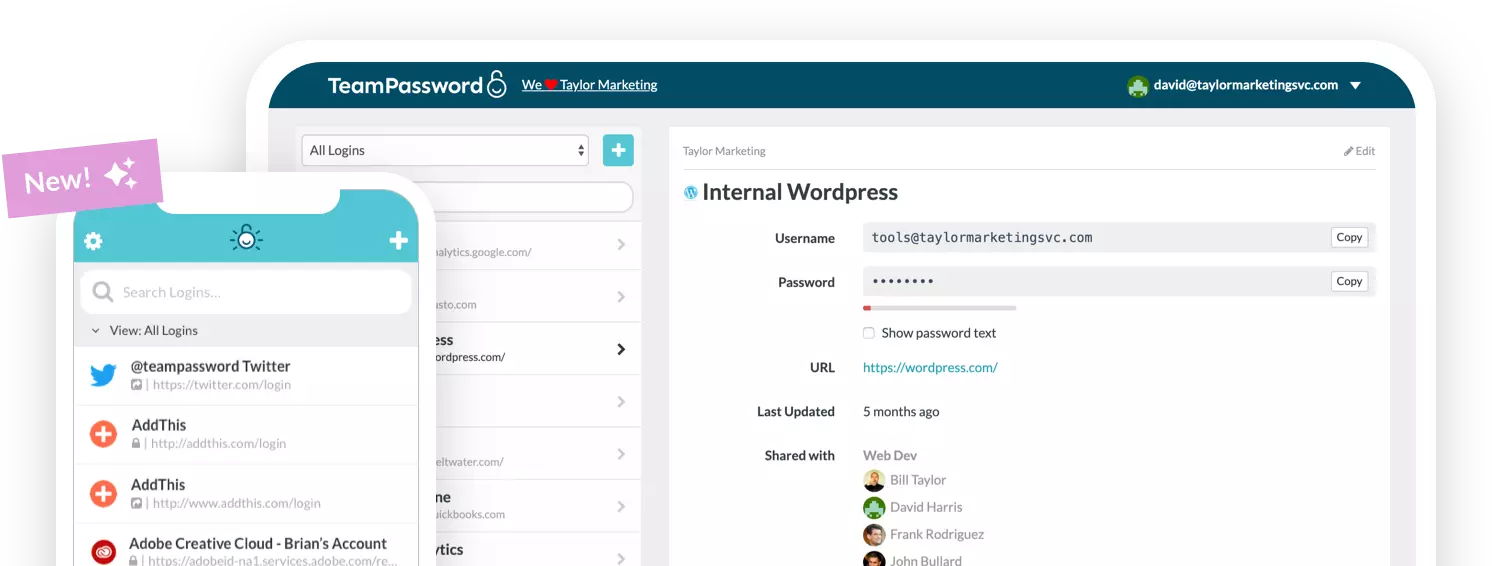
TeamPassword stores Web Logins, Passkeys and Credit Cards. When a site offers to create a passkey, the Chrome extension saves it to a TeamPassword record. Put that record in a group and everyone in the group can use the passkey through the Chrome extension, with no copying and no screenshots. Remove someone from the group and the passkey is gone from their view. The activity log records views and edits of records.
What you give up: passkey support is in the Chrome extension. TeamPassword has extensions for Firefox, Safari and Edge and apps for iOS and Android, but we do not claim passkey use in those, so a team that lives in Safari or on phones will find this limiting. Sharing is group-based, so to share one passkey with one person you put it in a group. See TeamPassword pricing.
TeamPassword Passkey Sharing at a Glance
- Store Web Logins, Passkeys and Credit Cards
- Passkey sharing through the Chrome extension
- Included on Standard ($2.41) and Enterprise ($5.25), per user per month billed annually
- Unlimited shared groups with no record caps
- Activity log with filters and CSV export
2. 1Password
Best for: teams that need shared passkeys across every browser and phone, at $8.99 per user per month for Business.
1Password saves passkeys and shares them through shared vaults, the same way it shares logins. Coverage is the widest in this list: the browser extension runs in Chrome, Firefox, Edge, Brave and Safari, and the apps run on iOS 18+ and Android 14+. Admins can turn off passkey saving if they want to control rollout.
What you give up: price. $8.99 per user is more than three times TeamPassword Standard. The Teams Starter Pack at $24.95 a month for up to 10 members is better value if you are exactly that size.
1Password Passkey Sharing at a Glance
- Passkeys shared through shared vaults
- Extension in Chrome, Firefox, Edge, Brave and Safari; iOS 18+, Android 14+
- Admins can turn off passkey saving
- $8.99 Business; Teams Starter Pack $24.95/mo for up to 10
3. Bitwarden
Best for: open-source teams, at $4.00 per user per month for Teams.
Bitwarden stores passkeys on all accounts, and its own guide says they can be shared through organization collections. Platform coverage is broad: browser extensions, iOS 17+, Android 14+, the Windows Store build and the macOS desktop app.
What you give up: passkeys are not included in Bitwarden Send, so you cannot pass one to someone outside the organization with a link, and the collection-sharing guidance comes from a Bitwarden resource article rather than a help-center how-to.
Bitwarden Passkey Sharing at a Glance
- Passkey storage on every account
- Shared via organization collections (Teams, Enterprise)
- Not shareable through Send
- $4.00 Teams, $6.00 Enterprise
4. Keeper
Best for: teams that want passkey sharing written into the plan grid, at $4.00 per user per month for Business.
Keeper ticks "Password and passkey sharing" on Business Starter, Business and Enterprise, and its docs say passkeys are shared like any other record. Passkeys work in desktop browsers, the Web Vault, the Desktop App, Android 14+ and iOS 17+.
What you give up: Keeper plans are billed annually only, Business Starter ($2.00) is limited to 5 to 10 users, and Enterprise is quote-only.
Keeper Passkey Sharing at a Glance
- Passkey sharing on all three business tiers
- Shared like any other record
- Desktop browsers, Web Vault, Desktop App, Android 14+, iOS 17+
- $4.00 Business; Business Starter $2.00 for 5 to 10 users
5. NordPass
Best for: teams of five or more that want a lower price than Keeper or Bitwarden, at $3.99 per user per month for Business (1-year plan).
NordPass says passkeys "cannot be viewed; however, they can be shared like other items." That is a sensible design for teams: the passkey is usable without being exposed.
What you give up: NordPass does not publish a per-platform list for passkeys, there is no passkey import or export to other managers, and its "Can autofill" sharing permission does not apply to passkeys. Business needs five users.
NordPass Passkey Sharing at a Glance
- Passkeys shared like other items, never viewable
- No passkey import or export to other managers
- Platform list not published
- $3.99 Business (5-user minimum)
6. Zoho Vault
Best for: price-first teams, at $0.90 per user per month on Standard.
Zoho Vault launched passkey management in August 2025. Free stores passkeys, "Passkey management" is listed from Standard up, and passkeys are shared like other vault items. They work on desktop, iOS, Android, the web vault and browser extensions.
What you give up: password sharing starts at Standard, and user groups and folder sharing need Professional ($4.50) or Enterprise, both with a five-user minimum.
Zoho Vault Passkey Sharing at a Glance
- Passkey management from Standard ($0.90)
- Shared like other vault items
- Desktop, iOS, Android, web vault and extensions
- User groups need Professional ($4.50, 5-user minimum)
Also Considered
RoboForm Business ($3.33) says you can share passkeys with other RoboForm users through its sharing feature, and saved passkeys cannot be edited or copied. It is a credible option that narrowly missed the list. Proton Pass for Business (Essentials $1.99, 3-user minimum) claims "Store, share and export passkeys" on a product page, but sharing is not documented in Proton's help center, so we could not verify how it works.
Not Ranked: Dashlane and LastPass
Dashlane stores passkeys, but its help center says "You can't share passkeys yet, but this feature is in development" (updated September 2026), and suggests sharing the password instead. LastPass is blunter: "Passkeys cannot be shared. Each user needs to create their own passkey." Both are capable password managers, but for this specific job they fail the first test.
How to Choose
- A small or mid-size team that works in Chrome: TeamPassword. Passkey sharing through groups on Standard at $2.41.
- Shared passkeys in Safari and on phones: 1Password Business at $8.99.
- Open source: Bitwarden Teams at $4.00.
- Passkeys teammates can use but never see: NordPass Business at $3.99, with five users minimum.
- The lowest price: Zoho Vault Standard at $0.90, if you can live without user groups.
Frequently Asked Questions
Which password manager is best for sharing passkeys in 2027?
For small and mid-size teams, TeamPassword: passkeys are stored and shared with a group on the $2.41 Standard plan, through the Chrome extension. If your team needs shared passkeys in Safari or on phones, 1Password Business at $8.99 per user covers more platforms.
Can you share a passkey with someone else?
Yes, if your password manager supports it. TeamPassword, 1Password, Bitwarden, Keeper, NordPass and Zoho Vault document sharing passkeys with teammates. Dashlane says you can't share passkeys yet, and LastPass says passkeys cannot be shared and each user needs to create their own.
Can Dashlane or LastPass share passkeys?
Not as of November 2026. Dashlane's help center says "You can't share passkeys yet, but this feature is in development" (updated September 2026) and suggests sharing the password instead. LastPass's passkey FAQ says "Passkeys cannot be shared. Each user needs to create their own passkey."
How much does a password manager that shares passkeys cost?
Zoho Vault lists passkey management from $0.90 per user per month on Standard, and TeamPassword includes passkey sharing on Standard at $2.41 billed annually, with a 3-user minimum. Bitwarden Teams and Keeper Business are $4.00, NordPass Business is $3.99 with a 5-user minimum, and 1Password Business is $8.99.
Is it safe to share a passkey with a team?
It is safer than sharing a password in chat, because the passkey stays encrypted in the password manager and access ends when you remove someone from the group or vault. The trade-off is that everyone with access signs in as the same account, so if the site supports separate users or multiple passkeys per account, give each person their own.
Does TeamPassword support passkeys on mobile?
TeamPassword saves, uses and shares passkeys through its Chrome extension. TeamPassword has iOS and Android apps for passwords, but passkey use on those apps, and in the Firefox and Safari extensions, is not something we claim. Teams that mostly sign in on phones should weigh that.
Try TeamPassword
If your team's passkeys live on one person's phone, move them somewhere the whole group can use them.
- Store Web Logins, Passkeys and Credit Cards
- Passkey sharing through the Chrome extension
- Unlimited shared groups with no record caps
- Require 2FA for the whole team
- Standard $2.41 per user per month billed annually ($2.88 monthly); Enterprise $5.25 ($6.30 monthly); 3-user minimum
Try TeamPassword free for 14 days
More in This Series
- Best Password Managers with a Built-in Authenticator
- Best Password Managers with Access Control
- Best Password Managers with Activity Logs
- Best Password Managers with Admin Security Controls
- Best Password Managers with Autofill for Teams
- Best Password Managers with a Passphrase Generator
- Best Password Managers with One-Time Secret Links
- Best Password Managers with Group-Based Sharing
- Cheapest Business Password Managers
- Best Password Managers for Teams