TeamPassword is the best pick for small and mid-size teams: its password and passphrase generator and strength indicator are on the Standard plan at $2.41 per user per month, next to the shared records the passphrases protect. If you want the most documented passphrase options (word count, separator, capitals, numbers), Bitwarden at $4.00 is the pick. Proton Pass at $1.99 (3-user minimum) is the cheapest with a word-based mode. Note that LastPass and NordPass apps still generate character passwords only.
Key Takeaways
- TeamPassword is a SOC 2-certified team password manager so simple that non-technical teammates adopt it, with group-based sharing since 2012. Its password and passphrase generator and password strength indicator are included on Standard.
- Bitwarden documents the most passphrase controls: word count, word separator, capitalization and an optional number.
- 1Password and Proton Pass both call their passphrase mode "Memorable"; Proton is the cheapest paid option here at $1.99 per user per month.
- Dashlane generates passphrases only on the web and in its browser extension, not yet in its mobile or macOS apps.
- LastPass and NordPass apps offer character-based generators only, with no word-based option.
Passphrase Generators Compared (November 2026)
| Product | Supports passphrase generator? | Documented passphrase options | Plan required | Team price (per user/month, annual) | Notes/caveats |
|---|---|---|---|---|---|
| TeamPassword | Yes, password and passphrase | Not itemized here | Standard and Enterprise | $2.41 Standard, $5.25 Enterprise | Strength indicator only, no breach or reuse check. 3-user minimum |
| Bitwarden | Yes, "Passphrase" type | Word count, separator, capitalize, include number | Not stated | $4.00 Teams | Most documented options |
| 1Password | Yes, "Memorable" type | Characters, capitalize first letter, full words | Not stated | $8.99 Business | Same generator in the app |
| Proton Pass for Business | Yes, "Memorable" mode | Web tool: word count, capitals, numbers, separators | Not stated | $1.99 Essentials | Which options the apps share is unverified. 3-user minimum |
| RoboForm | Yes | Web tool: separator, capitalize first letters, add numbers | Not stated | $3.33 Business | Passphrase generator shown in the extension |
| Zoho Vault | Yes, in the extension | Not published | All plans, including Free | $4.50 Professional | 5-user minimum on Professional |
| Dashlane | Yes, web and extension only | Length | Not stated | $8.00 Omnix Password Management | Not yet in mobile or macOS apps |
| LastPass | No | Characters only: length up to 100, case, numbers, symbols | Not stated | $4.25 Teams | No word-based option |
NordPass belongs with LastPass: its app generator options are length, capitalization, symbols and digits, with no word-based mode. We left it out of the ranking for that reason.
How We Evaluated These, and Our Disclosure
Disclosure: this article is published by TeamPassword, and TeamPassword ranks first below. We rank on fit for small teams, not on the number of generator settings, where Bitwarden documents more than we do.
Criteria, in priority order:
- A true word-based passphrase mode, not just long random characters.
- Where it works: web, extension and mobile apps, since a generator only on one surface gets skipped.
- Documented options such as word count and separators, read from vendor help pages.
- Team price, including seat minimums.
- Fit with sharing, because a team passphrase is usually generated for an account several people will use.
Facts verified November 2026 from each vendor's own pricing and help pages.
Why a Passphrase Generator Matters for Teams
Some shared credentials have to be typed by a human. The office Wi-Fi password, the login for a shared kiosk or point-of-sale terminal, the recovery phrase someone reads aloud to a colleague on a call. A 20-character random string like t8#Qv!2mWz gets mistyped, then quietly replaced with something weaker. A passphrase like cactus-ribbon-lantern-orbit-velvet-plaza is just as hard to guess and can be read out once without errors.
Passphrases also help with the accounts where a password manager cannot fill the field: a TV app, a device setup screen, a vendor portal that blocks pasting. And when an employee leaves and you rotate every password they knew, a generator built into the team vault means the new passphrase lands straight in the shared record instead of in someone's notes app.
What Makes a Good Passphrase
Two things matter: how many words, and how randomly they were chosen.
- Word count. With a large list such as the 7,776-word diceware list, each random word adds about 12.9 bits of entropy. Five words gives about 65 bits; six words gives about 77, which is comparable to a random 12-character password using every keyboard character. For anything shared or sensitive, use at least five words, and six is better.
- Randomness. The words must be picked by a generator, not by you. Song lyrics, quotes and "correct horse battery staple" style phrases people invent are predictable, and cracking tools try them. Separators, a capital letter or a digit add a little, but the bulk of the strength comes from random word choice and count.
For more, read our explainer on what a passphrase is and our guide to how to build a passphrase.
The Best Password Managers with a Passphrase Generator, Ranked
1. TeamPassword
Best for: small and mid-size teams that want passphrases generated straight into shared records, at $2.41 per user per month billed annually (3-user minimum).
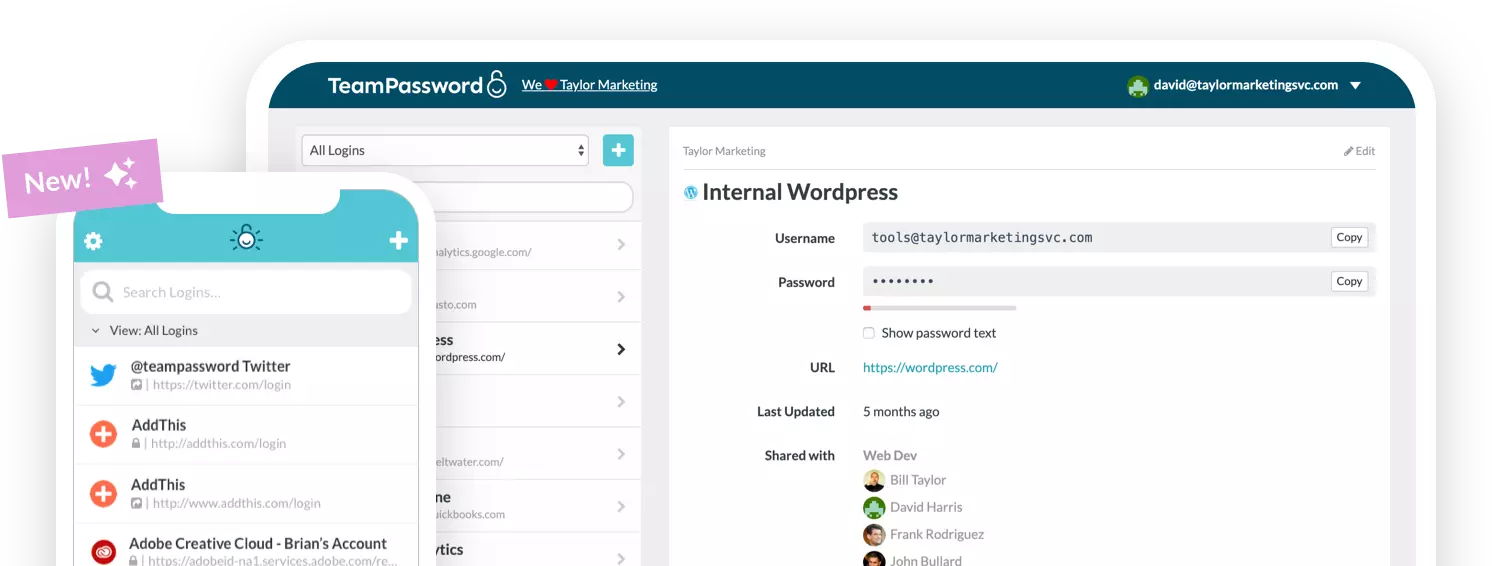
TeamPassword includes a password and passphrase generator and a password strength indicator on the Standard plan. Because the generator sits inside the team vault, a new passphrase goes into the shared record for the group that needs it, so the person who generated it is not the only one who knows it. That is the point for teams: the Wi-Fi passphrase or kiosk login lives in one shared place, and rotating it after someone leaves is one edit.
Be clear on the limits. The strength indicator rates strength only; TeamPassword has no breach, reuse or compromised-password check. If you want fine control over word count and separators, Bitwarden documents more options. Our free public tools are also worth knowing: the password generator makes random character passwords from 8 to 64 characters in your browser (passphrases are in the app), and the password strength checker estimates crack time locally without sending your password anywhere. See pricing.
TeamPassword Passphrase Generator at a Glance
- Password and passphrase generator on Standard and Enterprise
- Password strength indicator (strength only, no breach or reuse check)
- Generated passphrases save straight into group-shared records
- Free public password generator and strength checker that run in your browser
- Standard $2.41 per user per month billed annually ($2.88 monthly); Enterprise $5.25 ($6.30 monthly)
2. Bitwarden
Best for: teams that want precise control over passphrase settings, at $4.00 per user per month on Teams.
Bitwarden has a dedicated "Passphrase" type alongside its password generator, with documented settings for word count, word separator, capitalization and including a number. That is the most complete set of passphrase controls documented by any vendor in this list, which makes it easy to set a team standard such as "six words, hyphen separated".
You pay a little more than TeamPassword for Teams, and the interface is more utilitarian.
Bitwarden Passphrase Generator at a Glance
- Dedicated Passphrase type
- Word count, separator, capitalize and include-number options
- Teams $4.00, Enterprise $6.00
3. 1Password
Best for: teams that want a polished generator across every app, at $8.99 per user per month on Business.
1Password offers a "Memorable" type that builds passwords from full words, with a characters setting plus options to capitalize the first letter and use full words. 1Password says the same generator is in the app as on its public web tool.
The cost is the trade-off. At $8.99 per user per month, 1Password Business is more than three times TeamPassword. The Teams Starter Pack at $24.95 per month for up to 10 members is better value at that size.
1Password Passphrase Generator at a Glance
- "Memorable" word-based type
- Characters setting, capitalize first letter, full words
- Business $8.99; Teams Starter Pack $24.95/mo for up to 10
4. Proton Pass for Business
Best for: the lowest price with a word-based mode, at $1.99 per user per month on Essentials.
Proton Pass has a "Memorable" mode in its generator, available in the web, iOS and Android apps. Proton's public passphrase tool documents word count, capitals, numbers and a choice of separators, including hyphens, spaces, periods, commas and underscores. Whether every one of those options appears inside the apps is not documented, so check before you set a team policy around them.
Essentials needs at least 3 users. At $1.99 it is cheaper than TeamPassword.
Proton Pass Passphrase Generator at a Glance
- "Memorable" mode in web, iOS and Android apps
- Public tool: word count, capitals, numbers, several separators
- Essentials $1.99; Professional $4.99; 3-user minimum
5. RoboForm
Best for: teams that want a low-cost business plan with a passphrase option, at $3.33 per user per month on Business.
RoboForm shows both a password generator and a passphrase generator in its browser extension. Its public passphrase tool documents a word separator, capitalizing first letters and adding numbers.
RoboForm Enterprise is quote-based, and the options listed above are documented for the public web tool rather than the extension.
RoboForm Passphrase Generator at a Glance
- Password and passphrase generators in the extension
- Separator, capitalization and number options on the web tool
- Business $3.33; Enterprise by quote
6. Zoho Vault
Best for: teams already on Zoho, at $4.50 per user per month on Professional.
Zoho Vault added a built-in passphrase generator to its browser extension in December 2024, and "Password and Passphrase Generator" is listed even on the Free plan. Zoho does not document the passphrase options.
Free does not include team sharing, which starts on Standard. Professional and Enterprise need at least 5 users.
Zoho Vault Passphrase Generator at a Glance
- Passphrase generator in the browser extension
- Listed on every plan, including Free
- Professional $4.50; 5-user minimum
7. Dashlane
Best for: buyers who already use Dashlane's web vault and extension, at $8.00 per user per month for Omnix Password Management.
Dashlane generates passphrases, but only on the web and in its browser extension. Dashlane says passphrases "will be available on the mobile and macOS apps in the future". Length is the only passphrase option it documents.
At $8.00 per user per month it is one of the most expensive options here for a feature it only partly delivers.
Dashlane Passphrase Generator at a Glance
- Passphrases on web and browser extension only
- Length is the documented option
- Omnix Password Management $8.00
How to Choose
- Small team that wants passphrases saved straight into shared records: TeamPassword at $2.41.
- You want to enforce a specific word count and separator: Bitwarden at $4.00.
- Lowest price with a word-based mode: Proton Pass at $1.99, with a 3-user minimum.
- Mixed devices and budget for polish: 1Password at $8.99.
- You are on LastPass or NordPass and need passphrases: neither app generates them, so use a separate generator or switch.
Frequently Asked Questions
Which password manager has the best passphrase generator in 2027?
Bitwarden documents the most passphrase controls: word count, separator, capitalization and an optional number. For small and mid-size teams, TeamPassword is the better fit at $2.41 per user per month, because its password and passphrase generator saves straight into group-shared records. Proton Pass is the cheapest with a word-based mode at $1.99.
Does LastPass have a passphrase generator?
No. LastPass's generator is character-based only, with length up to 100 and options for lowercase, uppercase, numbers and symbols. NordPass apps are similar, with no word-based mode.
How many words should a passphrase have?
Use at least five randomly chosen words, and six for anything shared or sensitive. With a large word list, each random word adds about 12.9 bits of entropy, so six words is roughly as strong as a random 12-character password using every keyboard character.
Are passphrases more secure than passwords?
A passphrase is as secure as its randomness and length. Five or six words chosen by a generator are very hard to guess and far easier to type and read aloud than a random string. A phrase you made up yourself, such as a lyric or quote, is weaker than it looks.
Which plan do I need for TeamPassword's passphrase generator?
The password and passphrase generator and the password strength indicator are on Standard, at $2.41 per user per month billed annually or $2.88 monthly, with a 3-user minimum. TeamPassword's free public password generator makes random character passwords and runs in your browser.
Does TeamPassword check passwords for breaches or reuse?
No. TeamPassword's strength indicator rates how strong a password is, but it does not check for breached, reused or compromised passwords. If that report is a requirement, choose a manager that offers one.
Try TeamPassword
If your team shares logins, TeamPassword lets you generate strong passphrases straight into the records your groups use.
- Password and passphrase generator
- Password strength indicator
- Unlimited shared groups with no record caps
- Password change reminders
- Require 2FA for the whole team
- Standard $2.41 per user per month billed annually ($2.88 monthly); Enterprise $5.25 ($6.30 monthly); 3-user minimum
Try TeamPassword free for 14 days
More in This Series
- Best Password Managers with a Built-in Authenticator
- Best Password Managers with Access Control
- Best Password Managers with Activity Logs
- Best Password Managers for Sharing Passkeys
- Best Password Managers with Admin Security Controls
- Best Password Managers with Autofill for Teams
- Best Password Managers with One-Time Secret Links
- Best Password Managers with Group-Based Sharing
- Cheapest Business Password Managers
- Best Password Managers for Teams