
For small and mid-size teams, TeamPassword is the best pick for admin security controls: forced 2FA for the whole team, Google Sign-In that admins can require, and a session timeout from 10 minutes to 12 hours are all on the $2.41 Standard plan. If you need SSO with Okta or Google Workspace, 1Password Business at $8.99 has the widest identity provider list. Keeper has the deepest policy engine for the money, starting at $2.00 on Business Starter. NordPass is the cheapest route to Google Workspace SSO.
Key Takeaways
- TeamPassword is a SOC 2-certified team password manager so simple that non-technical teammates adopt it, with group-based sharing since 2012. Required 2FA, required Google Sign-In and session timeouts are on Standard; SSO with Microsoft Entra ID is Enterprise only.
- Okta SSO, Google Workspace SAML SSO, SCIM and custom policies are not available in TeamPassword. If you need them, 1Password Business, Keeper Enterprise or Bitwarden Enterprise fit better.
- Bitwarden and Keeper keep SSO on Enterprise. Bitwarden also keeps its "require two-step login" and session timeout policies on Enterprise.
- NordPass is the only vendor here with Google Workspace SSO on its entry Teams tier. LastPass starts federated login at Business.
Admin Security Controls Compared (November 2026)
| Product | Supports enforced 2FA? | Session timeout policy? | SSO (identity providers) | Plan required | Team price (per user/month, annual) | Notes/caveats |
|---|---|---|---|---|---|---|
| TeamPassword | Yes, Standard | Yes, 10 minutes to 12 hours, Standard | Microsoft Entra ID only (Enterprise, set up by our team). Google Sign-In that admins can require, on Standard | Standard for 2FA, timeout and Google Sign-In; Enterprise for SSO | $2.41 Standard, $5.25 Enterprise | No Okta or Google Workspace SAML SSO, no SCIM, no custom policies. 3-user minimum |
| 1Password | Yes, Business | Yes, auto-lock policy | Okta, Entra ID, Google Workspace, Duo, JumpCloud, OneLogin, Ping, Auth0 | Business | $8.99 Business | Teams Starter Pack ($24.95/mo for up to 10) excludes SSO and custom policies |
| Keeper | Yes | Yes, logout timer per web, mobile and desktop | Entra ID, Okta, Ping (SAML 2.0) | Business Starter for policies; Enterprise for SSO | $2.00 Business Starter, $4.00 Business, Enterprise by quote | Business Starter is for 5 to 10 users. Duo and RSA 2FA are Enterprise only |
| NordPass | Yes, per organization, role or user | Yes, autolock | Google Workspace on all tiers; Entra ID, ADFS, Okta on Enterprise | Teams | Business from $3.59 on a 2-year plan | Annual prices are discounted and promo-driven. Teams is sold as a 10-user pack |
| Bitwarden | Yes, Enterprise policy | Yes, Enterprise policy | Entra ID, Okta, Google (SAML), ADFS, Duo, JumpCloud, OneLogin, Ping and more | Enterprise | $4.00 Teams, $6.00 Enterprise | Teams has no enterprise policies or SSO, but includes organization Duo 2FA |
| Proton Pass | Yes, Professional (Essentials not confirmed) | Not published as an admin policy | Okta, Entra ID, Google Workspace, OneLogin | Professional | $1.99 Essentials, $4.99 Professional | 3-user minimum. Professional lists SSO and SCIM |
| LastPass | Yes, Business | Not published | AD, Entra ID, Google Workspace, Okta, PingOne, PingFederate, OneLogin | Business | $4.25 Teams, $7.00 Business, $11.00 Business Max | No federated login on Teams. Advanced MFA policies need Business Max |
How We Evaluated These, and Our Disclosure
Disclosure: this article is published by TeamPassword, and TeamPassword is ranked first. The table lists what we lack, and several products below beat us on SSO breadth.
What we looked at, in order:
- Which tier unlocks each control. A feature on an enterprise quote is not the same as one on the plan a 10-person team buys.
- Enforced 2FA. Whether an admin can require it for everyone, not just recommend it.
- Session and lock policies. Whether an admin can set how long a session stays open.
- Identity integration. Google sign-in, SAML or OIDC SSO, and which identity providers are named.
- Price for a real team, including seat minimums and fixed packs.
Facts verified November 2026 from each vendor's own pricing and help pages.
Why Admin Security Controls Matter for Teams
A password manager is only as strong as its weakest member's sign-in. If one teammate uses a reused password and no second factor, every shared client login is one phishing email away from exposure. Enforced 2FA closes that gap without relying on everyone to opt in. For background on the terms, see our explainer on 2FA vs MFA.
Session timeouts matter anywhere a laptop gets left open. An agency account manager who leaves a shared desk with the vault unlocked has handed the next person every client's Google Ads and social login. A 30-minute timeout keeps that window short.
Sign-in policy is also an offboarding tool. Requiring Google Sign-In, or connecting SSO, ties vault access to the identity your IT person already manages. Our guide to what SSO is covers how that link works.
The Best Password Managers with Admin Security Controls, Ranked
1. TeamPassword
Best for: small and mid-size teams that want forced 2FA and session limits without paying for an enterprise tier, at $2.41 per user per month billed annually.
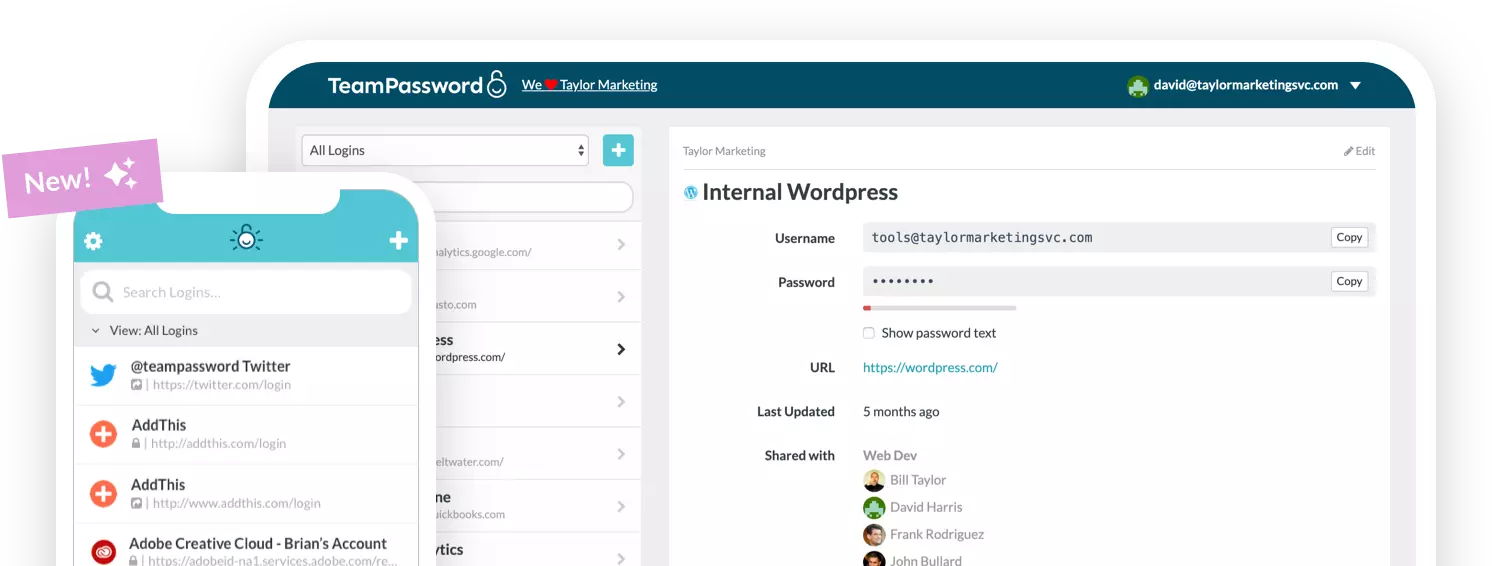
TeamPassword puts the controls most small teams actually use on its cheapest plan. On Standard, an owner or admin can require 2FA for the whole team, require Google Sign-In so members sign in with their Google account, and set a session timeout anywhere from 10 minutes to 12 hours. Roles are owner, admin and member, the activity log records security-setting changes, and admins can get email notifications. Two-factor authentication uses an authenticator app with backup codes.
What you give up is real. SSO is Enterprise only ($5.25 per user per month) and works with Microsoft Entra ID only, set up by the TeamPassword team rather than self-serve. There is no Okta or Google Workspace SAML SSO, no SCIM provisioning and no custom policy builder, and Google Sign-In is a sign-in method, not SAML SSO. If you run Okta or need automated provisioning, choose 1Password Business, Keeper Enterprise or Bitwarden Enterprise.
TeamPassword Admin Security Controls at a Glance
- Require 2FA for the whole team, and Google Sign-In that admins can require for the team (Standard)
- Session timeout from 10 minutes to 12 hours (Standard)
- Owner, admin and member roles, plus admin email notifications
- Activity log of record views, edits, deletions, attachments, invitations, logins and security-setting changes, with filters and CSV export
- Single sign-on with Microsoft Entra ID (Enterprise; set up by our team)
See every control on the features page and plan details on the pricing page.
2. 1Password
Best for: teams that need SSO with Okta or Google Workspace and a broad policy set, at $8.99 per user per month on Business.
1Password Business lets admins enforce 2FA for the team, scope that requirement to groups, and use Duo as an alternative. Enforcing 2FA requires the account password policy to be set to "Strict". An "Unlock and auto-lock" team policy controls how long the app stays unlocked. Unlock with SSO supports Okta, Entra ID, Google Workspace, Duo, JumpCloud, OneLogin, Ping Identity and Auth0.
The trade-off is price. The Teams Starter Pack ($24.95 per month for up to 10 people) excludes SSO and custom policies, so these controls cost $8.99 per user. Current prices took effect for new customers on June 30, 2026.
1Password Admin Security Controls at a Glance
- Enforced 2FA, scoped to groups if needed (Business)
- Unlock and auto-lock policy
- SSO with Okta, Entra ID, Google Workspace and more (Business)
- Not included on the Teams Starter Pack
3. Keeper
Best for: policy depth on a budget, from $2.00 per user per month on Business Starter, $4.00 on Business.
Keeper ships its "policy engine and enforcements" on Business Starter, Business and Enterprise. Role enforcement policies include requiring two-factor authentication and a logout timer set separately for web, mobile and desktop.
SSO is the catch: SAML 2.0 SSO with Entra ID, Okta and Ping is Enterprise only, by quote, as are Duo and RSA 2FA. Business Starter is limited to 5 to 10 users, and all plans bill annually.
Keeper Admin Security Controls at a Glance
- Require 2FA through role enforcement policies
- Logout timer per web, mobile and desktop
- SSO with Entra ID, Okta and Ping on Enterprise only
- Annual billing only
4. NordPass
Best for: Google Workspace teams that want SSO cheaply. Business is from $3.59 per user per month on a 2-year plan.
NordPass includes SSO with Google Workspace on all three business tiers, including Teams. Granular policies on Teams, Business and Enterprise let admins enforce MFA for the whole organization, a role or an individual, and set an autolock inactivity period the same way.
Two cautions. Annual prices are discounted and often stacked with a promo code; Business is $5.99 billed monthly. Teams is sold only as a 10-user pack. Entra ID, ADFS and Okta SSO are Enterprise only.
NordPass Admin Security Controls at a Glance
- MFA enforcement per organization, role or user (Teams and up)
- Autolock inactivity policy
- Google Workspace SSO on every business tier
- Entra ID, ADFS and Okta SSO on Enterprise
5. Bitwarden
Best for: technical teams that want open source and the widest SSO protocol support, at $6.00 per user per month on Enterprise.
Bitwarden Enterprise has a "Require two-step login" policy and a "Session timeout" policy, plus SSO over SAML 2.0 and OIDC with Entra ID, Okta, Google, ADFS, Duo, JumpCloud, OneLogin, Ping, Keycloak and others.
All of that is Enterprise. The $4.00 Teams plan has no enterprise policies and no SSO, though it includes organization-wide Duo 2FA.
Bitwarden Admin Security Controls at a Glance
- Require two-step login policy (Enterprise)
- Session timeout policy (Enterprise)
- SAML and OIDC SSO with a long list of identity providers (Enterprise)
- Teams includes organization Duo 2FA
6. Proton Pass
Best for: privacy-focused teams that want SSO and SCIM at a mid-range price, at $4.99 per user per month on Professional.
Proton Pass for Business lets admins require 2FA for admins or for everyone. Professional adds SAML SSO with Okta, Microsoft Entra ID, Google Workspace and OneLogin, and its pricing page lists SCIM alongside SSO. Team policies need Professional.
Proton's pages disagree on whether 2FA enforcement is on the $1.99 Essentials plan, so budget for Professional. We found no admin lock-time policy in its team policy list. Both plans have a 3-user minimum.
Proton Pass Admin Security Controls at a Glance
- Require 2FA for admins or everyone
- SAML SSO with Okta, Entra ID, Google Workspace and OneLogin (Professional)
- SCIM listed on Professional
- No published admin session timeout policy
7. LastPass
Best for: teams already on LastPass that need federated login, at $7.00 per user per month on Business.
LastPass Business lets admins assign a multifactor policy to all users, and federated login works with AD, Entra ID, Google Workspace, Okta, PingOne, PingFederate and OneLogin. Business Max ($11.00) adds advanced MFA policies.
The $4.25 Teams plan has no federated login and 25 policies against 100 or more. We found no published session timeout policy.
LastPass Admin Security Controls at a Glance
- Multifactor policy for all users (Business)
- Federated login with Okta, Entra ID, Google Workspace and more (Business and up)
- Advanced MFA policies on Business Max
- Teams excludes federated login
How to Choose
- Small or mid-size team that wants forced 2FA, Google Sign-In and session timeouts on a budget: TeamPassword Standard at $2.41.
- You run Okta or need SSO with many identity providers: 1Password Business at $8.99, or Bitwarden Enterprise at $6.00.
- You need SCIM provisioning: Proton Pass Professional lists it; confirm SCIM directly with 1Password, Keeper or Bitwarden before you buy.
- You live in Google Workspace and want real SSO cheaply: NordPass, from its Teams tier.
- You want granular policies and will pay for Enterprise later: Keeper.
Frequently Asked Questions
Which password manager has the best admin security controls in 2027?
For small and mid-size teams, TeamPassword puts forced 2FA, required Google Sign-In and a 10-minute to 12-hour session timeout on its $2.41 Standard plan. For the broadest policy set and SSO with Okta, Google Workspace and Entra ID, 1Password Business at $8.99 is the most complete. Keeper is the value pick for policy depth, with its policy engine available from Business Starter at $2.00.
Can I force everyone on my team to use two-factor authentication?
Yes, in most business password managers, but the plan varies. TeamPassword, Keeper and NordPass let admins require 2FA on their entry business plans. Bitwarden needs Enterprise, 1Password needs Business, and LastPass needs Business.
Which password managers include SSO, and what plan do I need?
1Password includes SSO on Business, LastPass on Business and Business Max, and Proton Pass on Professional. Bitwarden and Keeper reserve SSO for Enterprise. NordPass includes Google Workspace SSO on every business tier but keeps Entra ID and Okta for Enterprise. TeamPassword offers SSO with Microsoft Entra ID only, on Enterprise.
Can I use Okta single sign-on with TeamPassword?
No. TeamPassword's single sign-on works with Microsoft Entra ID only, on the Enterprise plan, and our team sets it up with you. There is no Okta or Google Workspace SAML SSO and no SCIM provisioning. If you need Okta, look at 1Password Business, Keeper Enterprise or Bitwarden Enterprise.
How much do admin security controls cost in a password manager?
It ranges from $2.00 to $11.00 per user per month on annual billing. TeamPassword Standard is $2.41 with forced 2FA and session timeouts included, Keeper Business Starter is $2.00 for 5 to 10 users, Bitwarden Enterprise is $6.00, 1Password Business is $8.99 and LastPass Business Max is $11.00.
What session timeout should a team password manager use?
Shorter is safer on shared or unattended machines, longer is kinder to people who work in the vault all day. A reasonable starting point is one hour, tightened for roles that handle banking or admin logins. TeamPassword lets admins pick anywhere from 10 minutes to 12 hours.
Try TeamPassword
If you want every teammate on 2FA by Friday without buying an enterprise plan, start here.
- Require 2FA for the whole team
- Google Sign-In that admins can require for the team
- Session timeout from 10 minutes to 12 hours
- Owner, admin and member roles, with admin email notifications
- Single sign-on with Microsoft Entra ID (Enterprise; set up by our team)
- Standard $2.41 per user per month billed annually ($2.88 monthly); Enterprise $5.25 ($6.30 monthly); 3-user minimum
Try TeamPassword free for 14 days
More in This Series
- Best Password Managers with a Built-in Authenticator
- Best Password Managers with Access Control
- Best Password Managers with Activity Logs
- Best Password Managers for Sharing Passkeys
- Best Password Managers with Autofill for Teams
- Best Password Managers with a Passphrase Generator
- Best Password Managers with One-Time Secret Links
- Best Password Managers with Group-Based Sharing
- Cheapest Business Password Managers
- Best Password Managers for Teams