
Shadow IT is the use of unapproved apps, tools, and systems inside a business, and it is more common than most teams realize. Employees adopt tools like ChatGPT or personal password managers to move faster, but that speed often comes at the cost of visibility and control. Understanding shadow IT helps businesses reduce risk, improve collaboration, and make better decisions about the tools their teams rely on.
Prevent shadow IT from capturing your team’s passwords. Looking at TeamPassword? Sign up to unlock your 14 day free trial and try TeamPassword for yourself.
What is shadow IT?
Here is a simple definition of shadow IT:
Shadow IT: Shadow IT is the use of software, devices, or services within an organization without approval or oversight from the IT department.
Why does shadow IT matter to businesses?
Shadow IT matters because it quietly shapes how work actually gets done inside a company. Teams often adopt tools to solve immediate problems, but those decisions create ripple effects across security, costs, and operations.
Understanding why it happens allows IT to build the software ecosystems employees need to accomplish great things. Ultimately, employees seek unauthorized tools when they do not have legitimate options.
The business drivers behind shadow IT
Employees turn to shadow IT when approved tools feel slow, limited, or difficult to access. They want to move quickly, collaborate easily, and avoid bottlenecks, especially when deadlines are tight or processes are unclear.
In many cases, shadow IT signals that the business has real gaps in its tooling. It shows where employees need better solutions, even if they are solving the problem in an unapproved way.
The hidden tradeoff between agility and control
Shadow IT can improve speed in the short term, but it reduces visibility for the organization. When tools operate outside official systems, IT teams cannot manage access, enforce policies, or track usage effectively.
Over time, this lack of control leads to duplicated costs, inconsistent workflows, and higher security risk. What starts as a quick fix can become a long-term operational burden that is difficult to unwind.
What are some common examples of shadow IT?
Shadow IT shows up when employees choose tools outside approved systems to solve everyday work problems. These tools are often adopted for convenience, but they can create gaps in visibility and control for the organization.
Here are some common types of shadow IT used in organizations:
- Password managers: Employees use standalone or personal password management tools to store, generate, and share credentials without organizational oversight or centralized control.
- File sharing platforms: Teams use external storage and sharing services to move documents and data outside approved company systems.
- Messaging and collaboration apps: Employees adopt third-party communication tools to coordinate work outside officially sanctioned platforms.
- Personal cloud storage accounts: Individuals rely on private cloud drives to back up, sync, or transfer work-related files.
- Project management tools: Teams introduce their own task tracking systems without aligning with company-wide governance or visibility standards.
- Browser extensions: Users install add-ons that can access browsing activity, credentials, or internal data without security review or approval.
Shadow AI vs. shadow IT
Shadow AI is a specific form of shadow IT that focuses on the use of artificial intelligence tools outside approved organizational systems. It is technically part of shadow IT, but it raises additional concerns because these tools process and generate information in ways that are not always transparent or predictable.
As AI tools become more common in everyday work, many organizations are still deciding whether to treat shadow AI as its own category or manage it under existing shadow IT policies. In practice, most security teams still place it within the broader shadow IT framework.
Shadow AI refers to the use of AI tools in a business context without formal approval, oversight, or security review. Employees may use external systems to write content, summarize information, or analyze data without considering how sensitive information is handled. Alternatively, employees may use approved AI tools in unapproved ways, for example by uploading private or proprietary information.
While shadow AI is usually classified as a subset of shadow IT, it behaves differently because of how data is processed. Inputs can be stored, used for model training, or exposed in ways that are not obvious to the user.
This is why tools like ChatGPT and Microsoft Copilot are often discussed in security policies even when general shadow IT tools are already covered. The speed of adoption and the sensitivity of shared data make shadow AI a growing area of concern.
Why is shadow IT a cybersecurity threat?
Shadow IT is a cybersecurity risk because it removes visibility and control from the systems that organizations rely on to protect data and users. When tools are used outside approved channels, security teams cannot fully monitor, secure, or manage them. This creates blind spots that attackers can exploit.
One of the core issues is lack of visibility. If IT teams do not know a tool exists, they cannot apply security policies, enforce updates, or ensure proper access controls. This means systems can run with outdated software, weak authentication, or no formal oversight.
Shadow IT also expands the attack surface. Every unapproved application, account, or service introduces a new potential entry point into company systems. Even if a tool is not directly connected to core infrastructure, it can still be used to access or leak sensitive information.
Data exposure is another major concern. Employees may store, share, or transfer business data through platforms that do not meet company security standards. This increases the risk of accidental leaks, unauthorized access, or compliance violations, especially when sensitive customer or financial data is involved.
Identity and access management becomes harder to enforce in shadow IT environments. Shared logins, reused passwords, and unmanaged accounts are common when tools are adopted informally. This makes it easier for unauthorized users to gain access without detection.
Finally, incident response is significantly weakened. When a security breach involves an unknown system, it is much harder for IT teams to trace activity, contain the issue, or understand the scope of impact. This delays response time and increases potential damage.
How to prevent the proliferation of shadow IT in your business
Preventing shadow IT is less about strict restriction and more about making approved tools the easiest and most practical choice. When official systems are rationed due to high cost or employees feel that they are slow or difficult to use, they will naturally look for alternatives that help them work faster.
One of the most effective strategies is improving the quality and usability of approved tools. If internal systems are outdated or hard to navigate, employees will bypass them. Businesses reduce shadow IT when sanctioned tools are simple, reliable, and match how people actually work.
Cost also plays a major role. When approved tools are too expensive or limited in licensing, teams often adopt cheaper external options on their own. Providing well-structured, fairly priced solutions reduces the incentive to look elsewhere. When cheaper tools are unavailable and license rationing is required, secure password sharing can allow more people to gain access.
Clear access and onboarding processes are equally important. If employees cannot quickly get access to the tools they need, they will find their own. Streamlined approval workflows help ensure that speed does not depend on bypassing IT policies.
Training and awareness also help, but they work best when paired with good tooling. Employees need to understand why shadow IT is risky, but they also need practical alternatives that solve the same problems without friction.
Password management is a strong example of this dynamic. Teams often adopt unauthorized password managers because they need a simple way to store and share credentials securely.
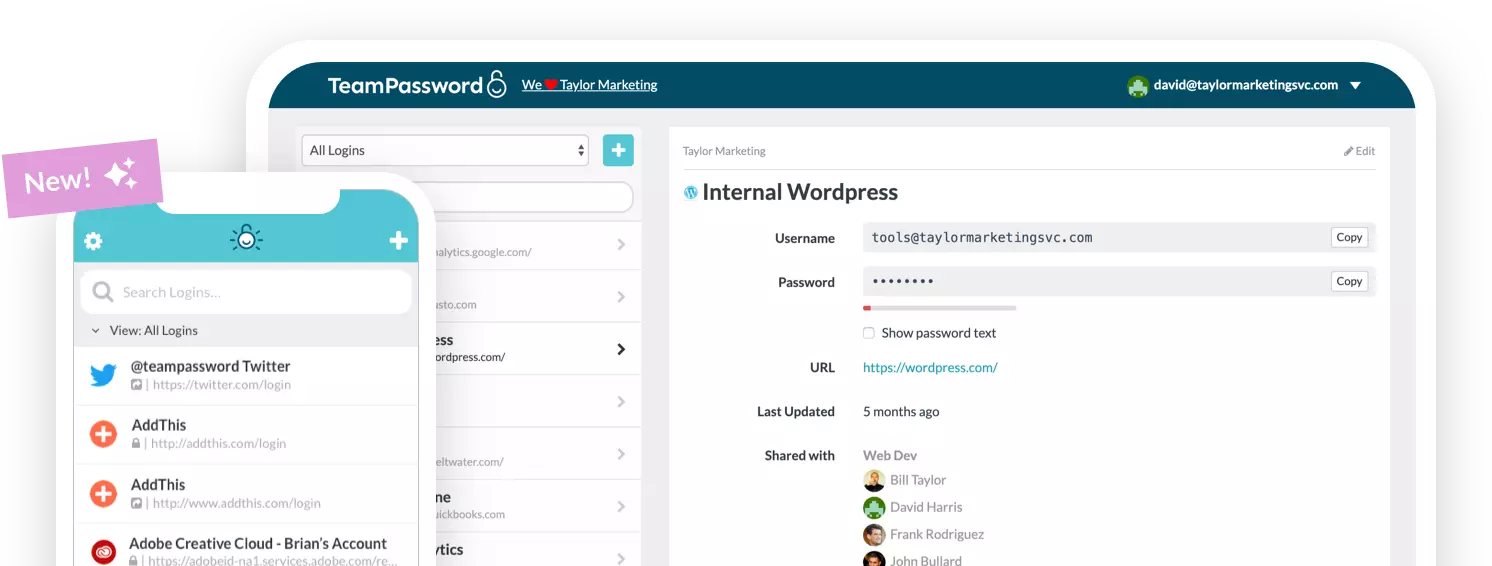
TeamPassword addresses this directly by offering cross-platform compatibility, shared vaults, and secure access controls in one system. When a solution is easy to use and purpose-built for teams, employees are far less likely to rely on unapproved alternatives.
Ultimately, reducing shadow IT is about alignment between security goals and user experience. When approved tools are both secure and convenient, shadow IT naturally declines without requiring heavy enforcement.
TeamPassword provides a legitimate password manager for your enterprise
Shadow IT often starts when employees try to solve everyday problems that official tools do not handle well. Password management is one of the clearest examples, since teams need a fast and secure way to store and share credentials across systems.
When approved tools feel limited or inconvenient, employees often adopt external password managers on their own. This creates risk because credentials are stored outside company oversight.
TeamPassword addresses this issue with a secure, team-focused password management system designed for shared use. It offers cross-platform compatibility and shared vaults that make access simple without relying on informal tools.
By providing a clear, easy-to-use alternative, businesses reduce the need for employees to adopt unauthorized solutions. This helps bring a common shadow IT problem back under control while keeping workflows efficient.
The end result is a balance between usability and security, where employees get the convenience they need without introducing unmanaged risk.
TeamPassword is the best password manager for businesses. Don’t believe us? Sign up for a 14-day free trial today and try for yourself.