While digital tools offer unprecedented connectivity and convenience, cybercriminals continuously refine their tactics to exploit online users. From sophisticated social engineering to automated fraud networks, recognizing modern scam mechanics is vital to protecting your personal identity and corporate data.
Below are the most prevalent online scams targeting consumers and workers today, along with actionable strategies to defend your accounts.
1. AI Voice Cloning & Deepfake Scams
Generative AI tools have given rise to hyper-realistic impersonation scams. Cybercriminals harvest short audio clips of individuals from social media or public videos and feed them into AI voice synthesizers.
Scammers then call family members or colleagues, posing as a relative in distress or an executive requesting urgent wire transfers or credential verification.
- How to spot it: The caller demands immediate payment, gift cards, or emergency money transfers while creating intense emotional panic.
- How to defend: Always hang up immediately and call the individual back directly on a known, verified phone number. According to official guidelines from the FTC Consumer Advice on AI Voice Scams, establishing a private "family password" can also help verify identities during suspicious calls.
- Mobile Vulnerabilities: In addition to phone impersonations, attackers frequently target mobile devices via SMS or cellular exploits. Learn how threat actors compromise mobile accounts in our guide on what is SIM swapping.
2. Pet Adoption & E-Commerce Fraud
E-commerce fraud remains widespread, particularly on unverified storefronts and social media marketplaces. Fake pet adoption listings are among the most persistent consumer traps.
Con artists set up realistic websites offering purebred puppies, kittens, or exotic pets up for adoption. Once a buyer engages, scammers request payment for transportation cages, specialized veterinary clearance, or temperature-controlled shipping.
Key Metric: According to the BBB Puppy Scams Study Update, the median financial loss to online pet scams stands at $600, with over 50% of fraudulent offers originating from fake search engine listings or sponsored social media ads.
3. Work-from-Home & Employment Phishing
Remote job seekers are frequently targeted by fake employer schemes promising high hourly pay, flexible schedules, and minimal experience requirements.
The Fake Check Trap
After conducting a superficial text-based interview on messaging platforms, the "employer" sends a counterfeit check, instructing the hire to deposit it immediately and wire back funds to cover home office equipment or software licenses. Days later, the check bounces, leaving the victim liable for the full transferred balance.
When vetting job offers or managing remote staff, organizations must establish secure communication protocols. Learn how to educate remote workers against phishing vectors in our overview on spear phishing and our manager's guide on how to talk to remote employees about cybersecurity.
4. Government Impersonation Scams
Scammers regularly impersonate government representatives from agencies like the IRS, Social Security Administration, or local law enforcement.
These imposters claim that your account is locked, your tax return is fraudulent, or a warrant has been issued for your arrest. They pressure victims to resolve the issue immediately by making payments via cryptocurrency, wire transfer, or prepaid gift cards.
- Rule of Thumb: Legitimate government bodies never demand immediate wire payments over the phone or threaten arrest via unsolicited calls.
What to Do If You Have Been Scammed
If you suspect you have engaged with a fraudulent link, phone caller, or fake website, take immediate recovery action:
- Isolate Financial Accounts: Notify your bank or credit card issuer to freeze compromised cards or block fraudulent transfers.
- Report the Incident: File official reports with authority portals such as the FTC Report Fraud Portal and the BBB Scam Tracker.
- Change Exposed Passwords: Immediately update logins across all affected online services. Storing credentials in unencrypted spreadsheets or browser text files increases breach risk; review our analysis of the top 5 dangerous ways to store your passwords to ensure your recovery is secure.
Fortify Your Online Defenses with TeamPassword
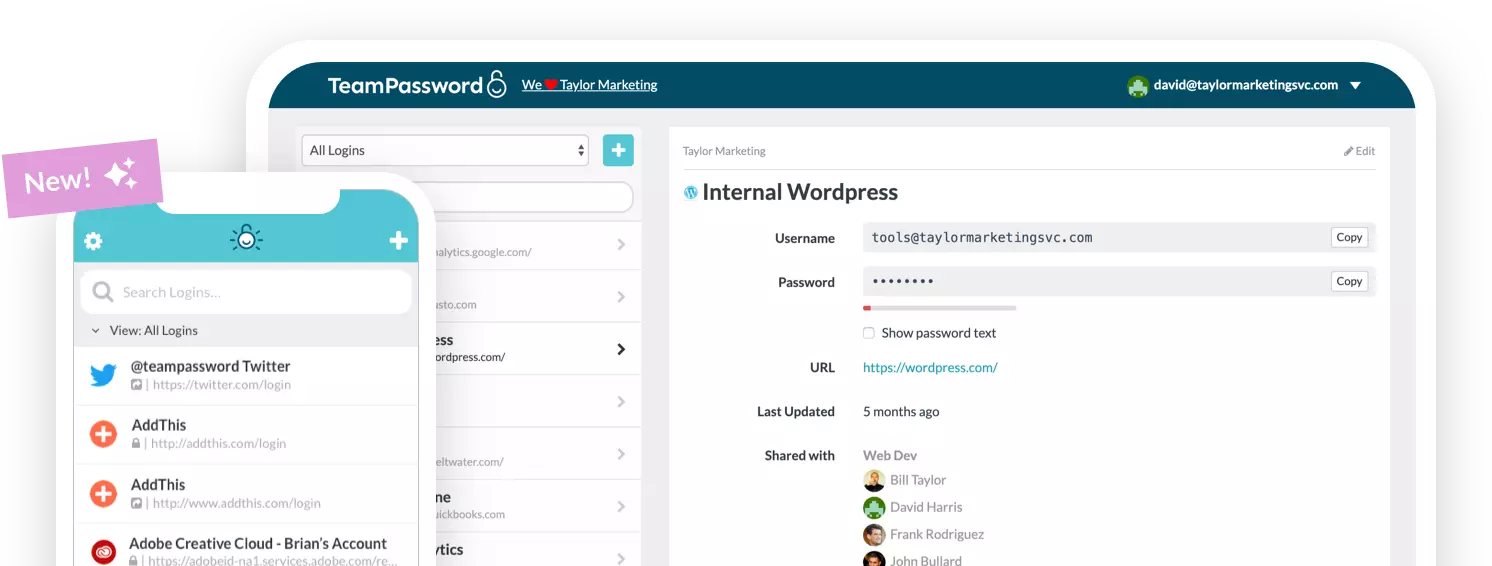
Preventing credential exposure across websites and services starts with generating complex, unique passwords for every single login.
TeamPassword delivers intuitive, AES-256 encrypted password management configured for small businesses, agencies, and remote teams.
- Standard Plan: $2.41/user/month (billed annually)
- Enterprise Plan: $5.25/user/month (billed annually)
Take control of your digital security—start your free trial with TeamPassword today.