


Feature Spotlight: Principle of Least Privilege with TeamPassword Groups

One of the most common security traps growing teams fall into is the "all-or-nothing" approach to password sharing. To save time, a manager might share a general admin password or grant a new hire full access to the password manager just to get them up and running.
While this feels efficient, it creates a massive attack surface. Does your social media intern need the root access to your AWS servers? Does your freelance developer need the login to the company payroll system? Definitely not.
The solution is adopting the Principle of Least Privilege (PoLP). Today, we are spotlighting TeamPassword Groups—the specific feature designed to help you organize access, segment your team, and enforce security without slowing down operations.
Table of Contents
What Are TeamPassword Groups?
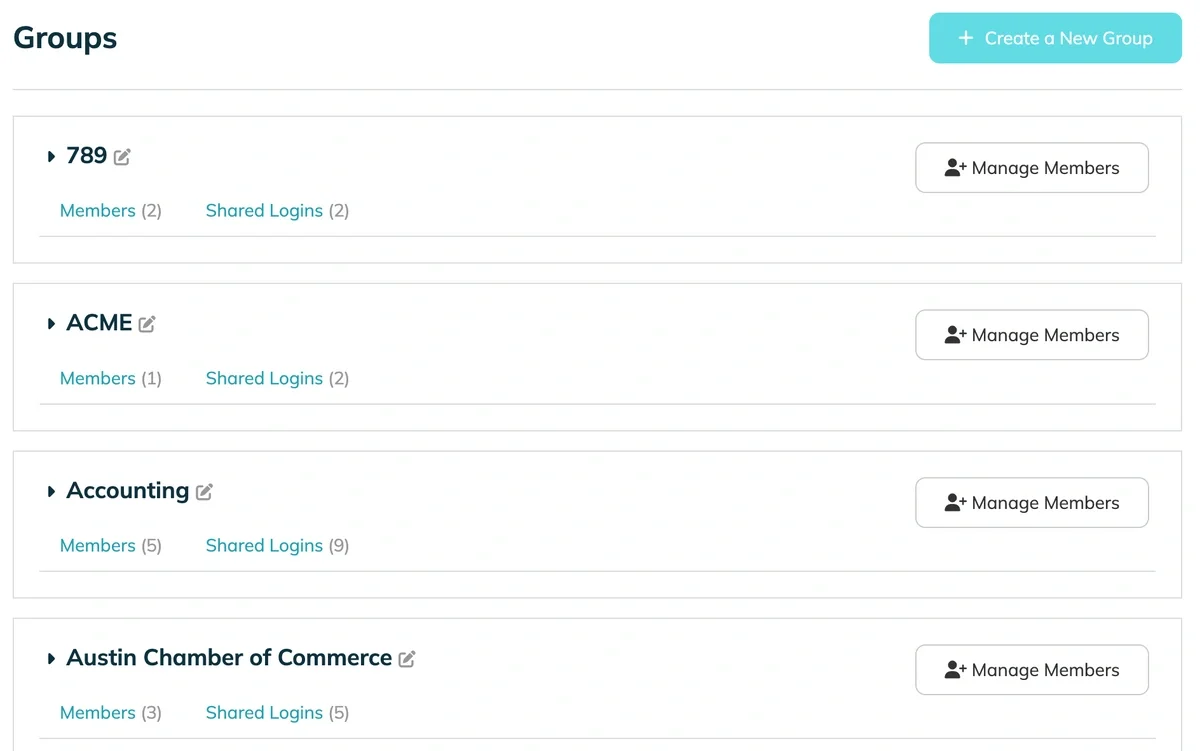
In TeamPassword, Groups act as secure folders or "security silos." They allow you to bundle specific logins together and share them only with the team members who require them.
Rather than viewing your password database as a single list that everyone can see, Groups allow you to view it as a collection of permission sets. This transforms your password manager from a simple storage tool into a robust access control system.
Why Groups Are Essential for the Principle of Least Privilege
The Principle of Least Privilege dictates that a user should be given the bare minimum access required to perform their specific job duties. Nothing more.
Think of the difference between a janitor’s key ring and a hotel guest’s key card:
- The Admin (Janitor): Needs a master key to access every room, closet, and maintenance area to keep the building running.
- The User (Hotel Guest): Only needs access to their specific room and the gym. Giving them a master key "just in case" is a security liability.
TeamPassword Groups allow you to treat your employees like "guests" rather than "janitors." You grant them the specific key card (Group) they need for their department, keeping the rest of the building locked and secure.
Strategic Segmentation: How to Organize Your Groups
To use Groups effectively, you must segment your logins based on function or client access. Here are the two most effective strategies for configuring TeamPassword Groups:
1. The Department Strategy
This is ideal for internal teams. Create groups based on the specific teams in your organizational chart.
- Marketing Group: Contains Instagram, Facebook, Mailchimp, Buffer, and Canva logins.
Access granted to: CMO, Social Media Manager, Interns. - Dev Group: Contains GitHub, Jira, AWS, and Staging Server logins.
Access granted to: CTO, Developers, QA. - Finance/Admin Group: Contains QuickBooks, Gusto, and Banking logins.
Access granted to: Operations Manager, CFO.
2. The Client Strategy (For Agencies)
For digital agencies, the "Access to Everything" model is dangerous due to client confidentiality. You cannot have the team working on Client A seeing the data for Client B.
- Create a Group named "Client: Acme Corp."
- Add only the Account Manager and Creatives working on the Acme account.
- Add external freelancers only to this specific group.
This ensures that if a freelancer is hired for a one-week project, they never see your internal company passwords or data belonging to other clients.
How to Configure Groups in TeamPassword
Setting up your "security silos" is a straightforward process. Here is how to create and manage a Group:
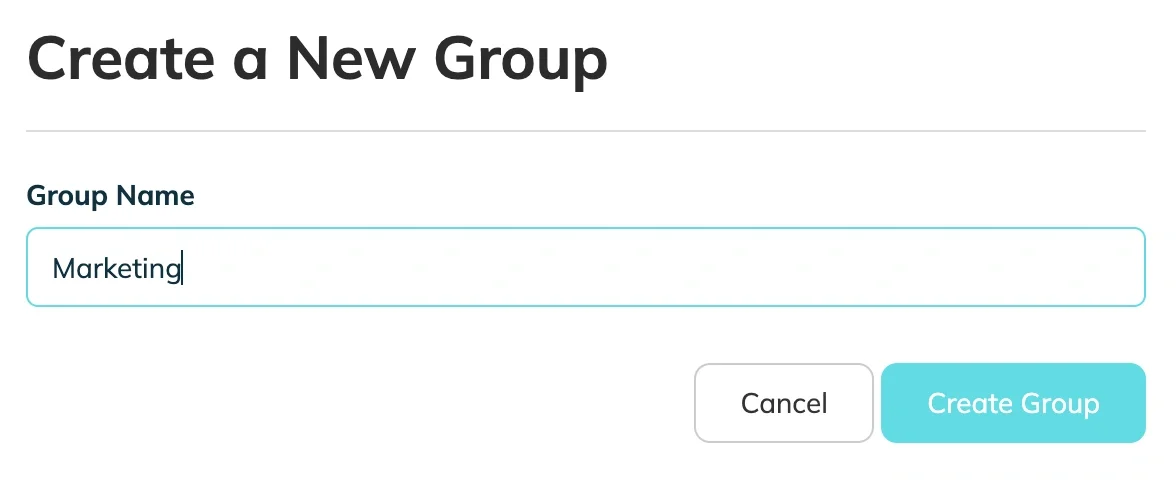
Step 1: Create a New Group
Navigate to the sidebar and select the option to create a new Group. Give it a clear, descriptive name (e.g., "Marketing Team" or "Client: Project X").
Step 2: Assign Logins to the Group
You can move existing logins into the group or create new ones. Grouping these logins ensures that they are no longer floating in the "All" folder for unintended eyes.
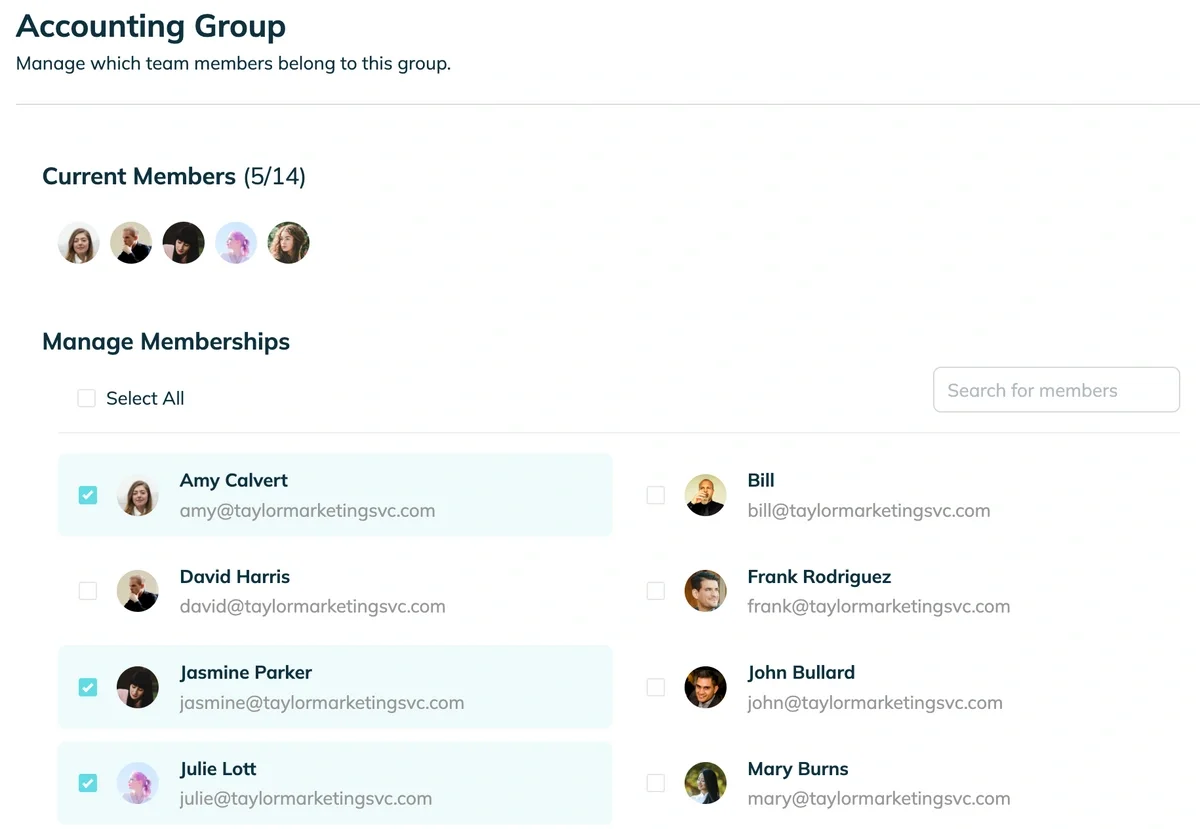
Step 3: Add Team Members
Once the Group is populated with the correct credentials, simply add the relevant team members via their email addresses.
The Operational Benefits of Using Groups
Beyond security, using Groups streamlines the administrative side of onboarding and offboarding.
Faster Onboarding
When a new hire starts, you don't need to email them passwords one by one. You simply invite them to TeamPassword and add them to the relevant Group (e.g., "Marketing Group"). They instantly have access to the exact toolset they need to be productive on Day 1.
Safer Offboarding
When an employee leaves, the "share everything" method usually requires a company-wide password reset. With Groups, you simply remove the user from the Group. Their access is revoked instantly. You only need to rotate the passwords in that specific group if you feel it's necessary, rather than resetting the entire company.
Conclusion
Organization is your first line of defense against data leaks. By taking the time to set up proper Groups, you are not just tidying up your digital workspace; you are actively enforcing the Principle of Least Privilege.
Don't have a TeamPassword account? Sign up for TeamPassword today!
추천 기사
The 5 Best Enterprise Password Vaults (2026 Comparison)
Standard password tools fail at enterprise scale. Learn how to choose a password manager for security, compliance (SOC ...
How to Reset ADP Password if Forgotten
Reset your ADP password with this easy-to-follow guide. Discover tips for choosing memorable security questions and creating secure ...
How to Reset Justworks Password if Forgotten
Learn how to quickly reset your Justworks password and maximize your online security. Tired of memorizing passwords? Try ...
How to Reset a WordPress Password
Can't remember your WordPress password? Don't fret! Use this easy step-by-step guide to reset your WordPress password.







